> ## Documentation Index
> Fetch the complete documentation index at: https://www.cashfree.com/docs/llms.txt
> Use this file to discover all available pages before exploring further.
# API Limits
> Review the per-minute rate limits applied to Cashfree Payments API endpoints and learn how to detect throttling using response headers.
You can view your API usage and rate limits on your dashboard. Go to **Developers** > **Rate Limits** to view various metrics such as: `Rate Limit`, `Latest Usage`, `Average Usage`, `Burst limit`, `Request Count` and `Violation Count`.
## Rate limiting
We use rate limiting for all endpoints. Rate limiting is based on your IP and your account Id. By default, the following rate limits are applied per minute. You can also view your rate limits in the response headers.
### Rate limit in Production
| API | Rate limit value per minute | Rate limit type |
| :----------------- | :-------------------------- | :-------------- |
| Create Order | 200 | Account |
| Get Order | 400 | Account |
| Get Payments | 100 | Account |
| Get Payments by ID | 130 | Account |
| Pay Order | 100 | IP |
| Get Settlements | 30 | Account |
| Initiate Refund | 100 | Account |
| Get Refund | 30 | Account |
### Rate limits in Sandbox
| API | Rate limit value per minute | Rate limit type |
| :-------------- | :-------------------------- | :-------------- |
| Create Order | 30 | Account |
| Get Order | 60 | Account |
| Get Payments | 30 | Account |
| Pay Order | 30 | IP |
| Get Settlements | 20 | Account |
| Initiate Refund | 30 | Account |
| Get refund | 60 | Account |
## Rate limiting headers
All responses will have the following headers to help you understand rate limiting.
| Header name | Example | Description |
| :-------------------- | :--------------- | :------------------------------------------------------------ |
| x-ratelimit-limit | 100 | Max number of calls that can be made in a minute |
| x-ratelimit-remaining | 30 | Remaining number of calls that can be made in a minute |
| x-ratelimit-retry | 0 | Number of seconds you will have to wait to make the next call |
| x-ratelimit-type | `app_id` or `ip` | Type of rate limiting applied |
## Upgrading limits
You can increase rate limits or burst limits at an API level through the Merchant Dashboard.
To request a limit increase:
1. Log in to the [Merchant Dashboard](https://merchant.cashfree.com/auth/login).
2. Go to **Payment Gateway > Developers > Rate Limits**.
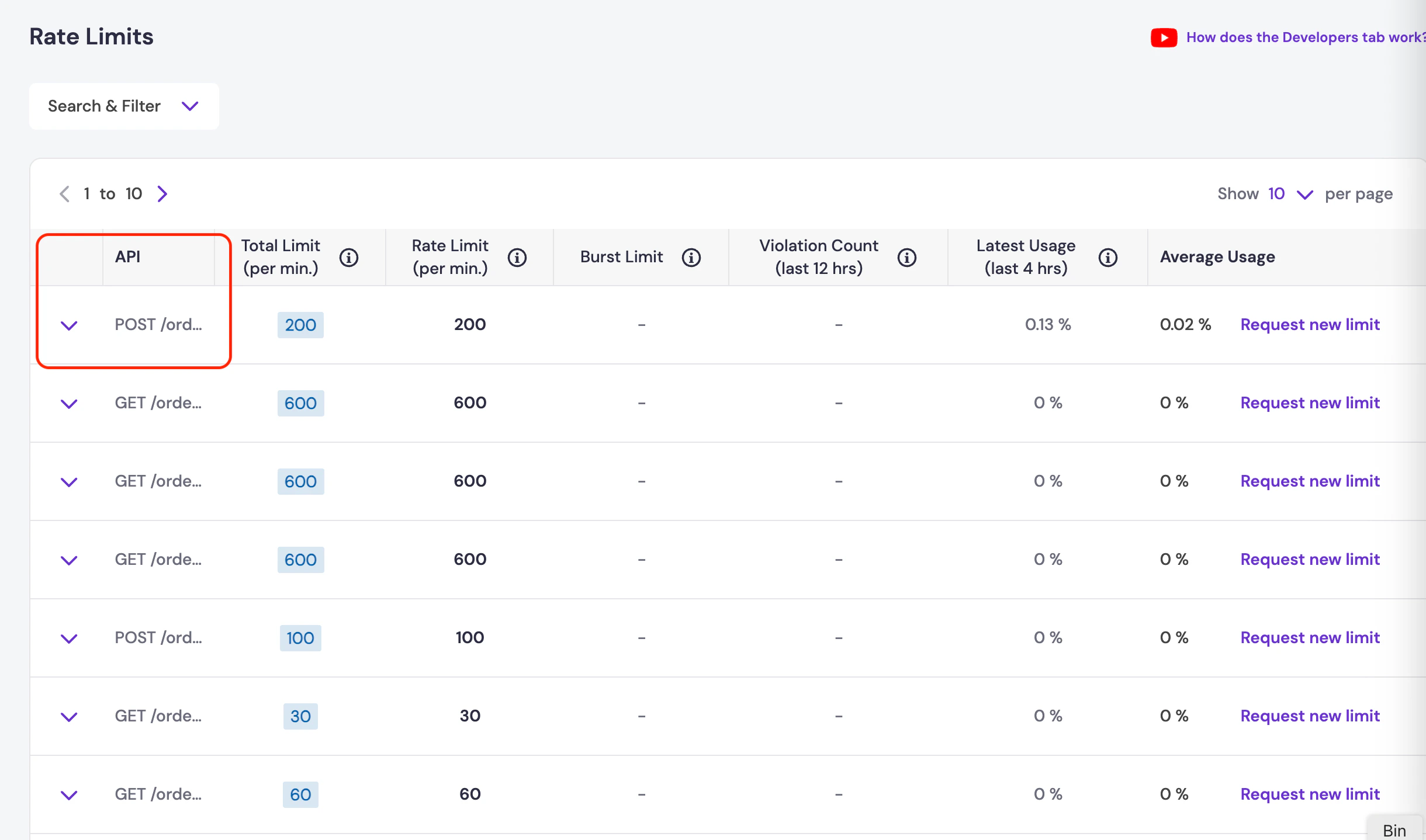 *Rate Limits page showing all APIs with current limits*
3. Select **Request new limit** for the API you want to change the limit for.
*Rate Limits page showing all APIs with current limits*
3. Select **Request new limit** for the API you want to change the limit for.
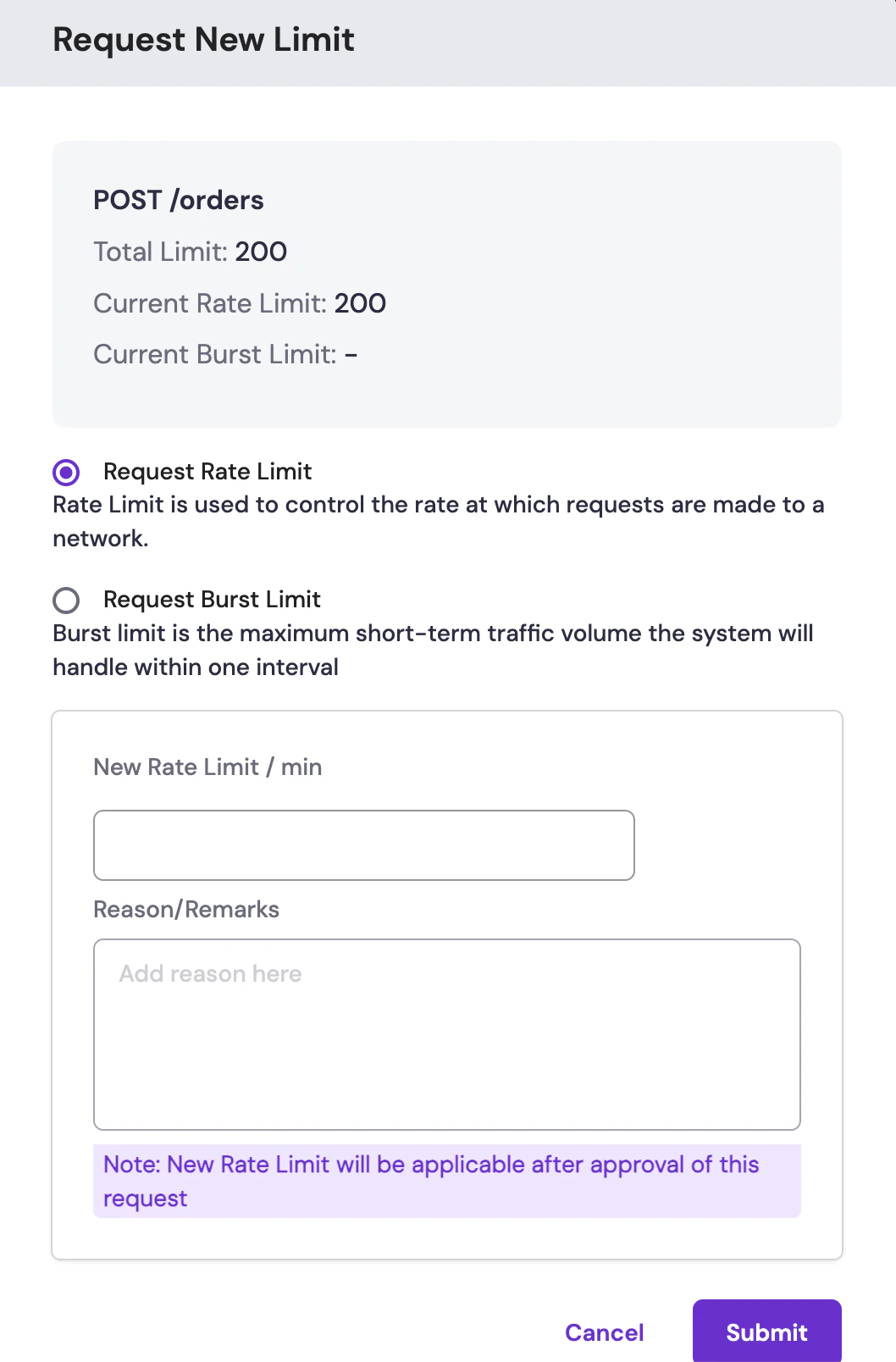 *Request form for increasing rate or burst limits*
4. Enter the new rate or burst limit you require. For burst limit, enter the time duration.
The total limit is the sum of the rate limit and burst limits.
5. Provide the reason for the request and click **Submit**.
After you submit the request, it will be reviewed and approved within 1-2 business days. Once approved, the new rate limits will be applied to your account.
*Request form for increasing rate or burst limits*
4. Enter the new rate or burst limit you require. For burst limit, enter the time duration.
The total limit is the sum of the rate limit and burst limits.
5. Provide the reason for the request and click **Submit**.
After you submit the request, it will be reviewed and approved within 1-2 business days. Once approved, the new rate limits will be applied to your account.