> ## Documentation Index
> Fetch the complete documentation index at: https://www.cashfree.com/docs/llms.txt
> Use this file to discover all available pages before exploring further.
# Downtimes
> Monitor Cashfree downtimes for cards, UPI, netbanking, and wallets in real time, then route or notify customers to maintain payment conversion during incidents.
## What are downtimes?
Downtimes are periods when specific payment methods or banking services experience issues that can affect transaction success rates. Downtimes can be:
* **Scheduled downtime**: Planned outages announced by banks or payment processors.
* **Unscheduled downtime**: Unexpected technical issues affecting payment services.
### Why downtimes matter
Payment downtimes directly affect your business:
* **Protect conversion rates**: Proactively manage payment options to maintain successful transactions.
* **Improve customer experience**: Prevent failed transactions and reduce customer frustration.
* **Optimise revenue**: Redirect transactions to working payment methods during outages.
* **Increase operational efficiency**: Reduce support tickets from failed payment attempts.
Businesses that use downtime intelligence can see up to a **5%–15% improvement** in conversion rates during payment ecosystem issues.
## Get started
You can stay informed about downtimes in three ways and integrate this information into your payment flow.
### 1. Use the API
Use the Downtimes API to programmatically fetch active incidents and integrate downtime information directly into your checkout.
Get all active and upcoming downtime incidents across the payment ecosystem.
Get details about a specific incident using its unique ID.
The API supports filters for impact type, payment method, status, time, and more.
### 2. Use webhooks
Subscribe to real-time downtime notifications to get instant updates when incidents are created, updated, or resolved.
Learn how to set up downtime webhooks for real-time updates.
### 3. Use dashboard monitoring
Monitor downtimes directly in your Cashfree Payments dashboard.
Log in to the [**Merchant Dashboard**](https://merchant.cashfree.com/auth/login) and go to **Payment Gateway > Downtimes**.
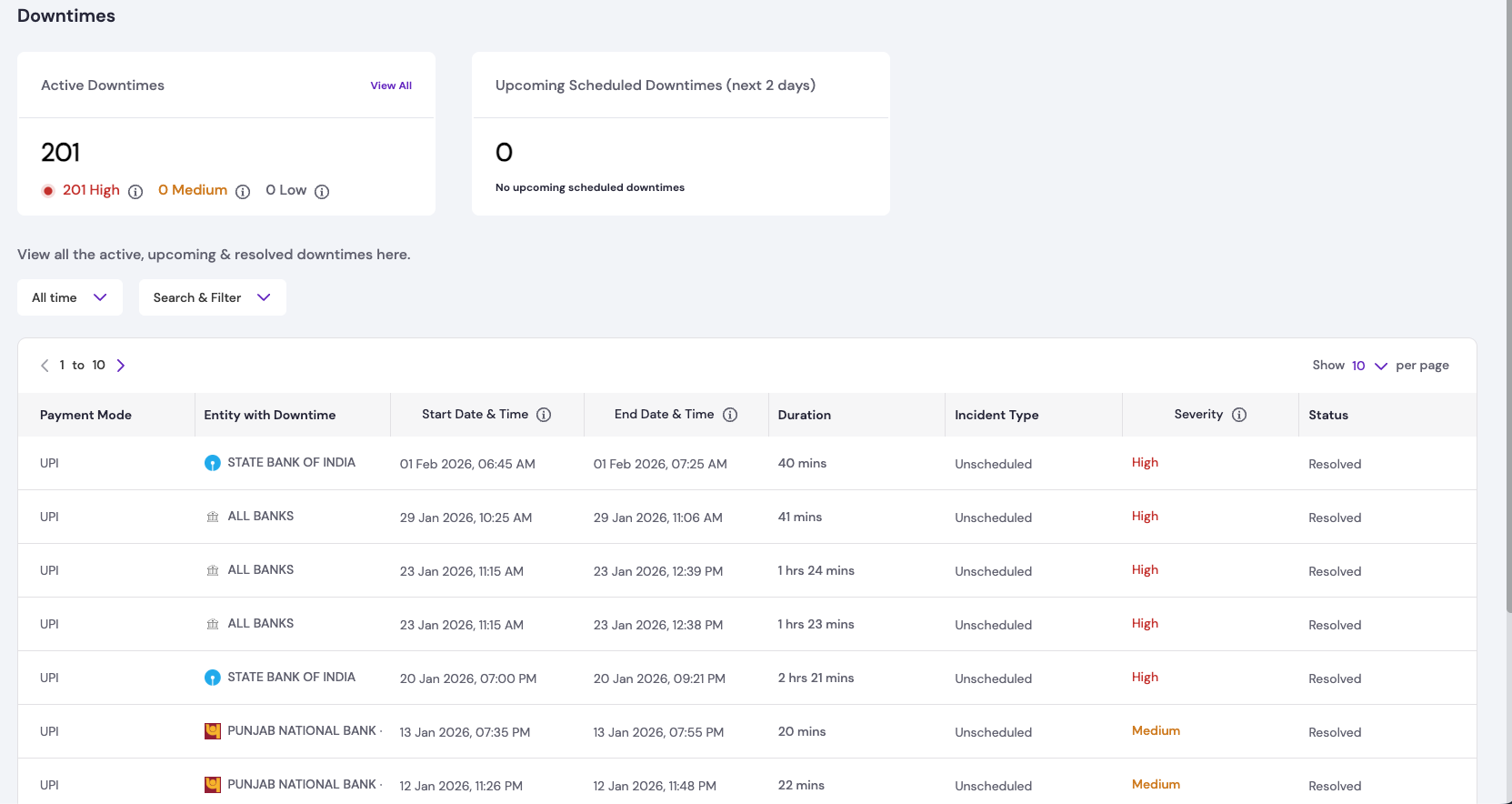 The dashboard helps you:
* **Check real-time status**: See all active and upcoming incidents.
* **Assess impact**: Understand severity levels and affected payment methods.
* **Review history**: Track past incidents and their durations.
## Best practices
Follow these strategies based on downtime severity to maintain optimal conversion rates.
### Low and medium impact incidents
**Recommended action**: Use visual cues and offer alternatives.
For incidents with manageable impact:
* **Show visual indicators**: Use subtle cues like reduced opacity or warning icons.
* **Add messages**: Display banners to inform users about possible issues.
* **Reorder methods**: Prioritise unaffected payment methods.
* **Offer alternatives**: Suggest other payment methods as the first choice.
* **Use progressive disclosure**: Show more prominent warnings for medium impact incidents while keeping the method active.
### High impact incidents
**Recommended action**: Temporarily disable affected methods.
For severe issues that strongly affect success rates:
* **Disable temporarily**: Turn off severely impacted payment methods to avoid failed payments.
* **Communicate clearly**: Inform customers about the temporary unavailability.
* **Highlight alternatives**: Show working payment methods first.
* **Guide users**: Direct users to reliable payment methods with clear calls to action.
## Related resources
View the complete API documentation with examples.
Learn how to set up real-time notifications for your system.
snippets/related-topics-loader.mdx
The dashboard helps you:
* **Check real-time status**: See all active and upcoming incidents.
* **Assess impact**: Understand severity levels and affected payment methods.
* **Review history**: Track past incidents and their durations.
## Best practices
Follow these strategies based on downtime severity to maintain optimal conversion rates.
### Low and medium impact incidents
**Recommended action**: Use visual cues and offer alternatives.
For incidents with manageable impact:
* **Show visual indicators**: Use subtle cues like reduced opacity or warning icons.
* **Add messages**: Display banners to inform users about possible issues.
* **Reorder methods**: Prioritise unaffected payment methods.
* **Offer alternatives**: Suggest other payment methods as the first choice.
* **Use progressive disclosure**: Show more prominent warnings for medium impact incidents while keeping the method active.
### High impact incidents
**Recommended action**: Temporarily disable affected methods.
For severe issues that strongly affect success rates:
* **Disable temporarily**: Turn off severely impacted payment methods to avoid failed payments.
* **Communicate clearly**: Inform customers about the temporary unavailability.
* **Highlight alternatives**: Show working payment methods first.
* **Guide users**: Direct users to reliable payment methods with clear calls to action.
## Related resources
View the complete API documentation with examples.
Learn how to set up real-time notifications for your system.
snippets/related-topics-loader.mdx