

Add webhooks
Add your webhook URL in our system for us to deliver webhook events. Follow the instructions below to configure the webhook URL. Ensure to provide the publicly accessible HTTPS URL to your webhook endpoint.- Log in to the Merchant Dashboard and click Developers.
- Click Webhooks listed under the Secure ID card.
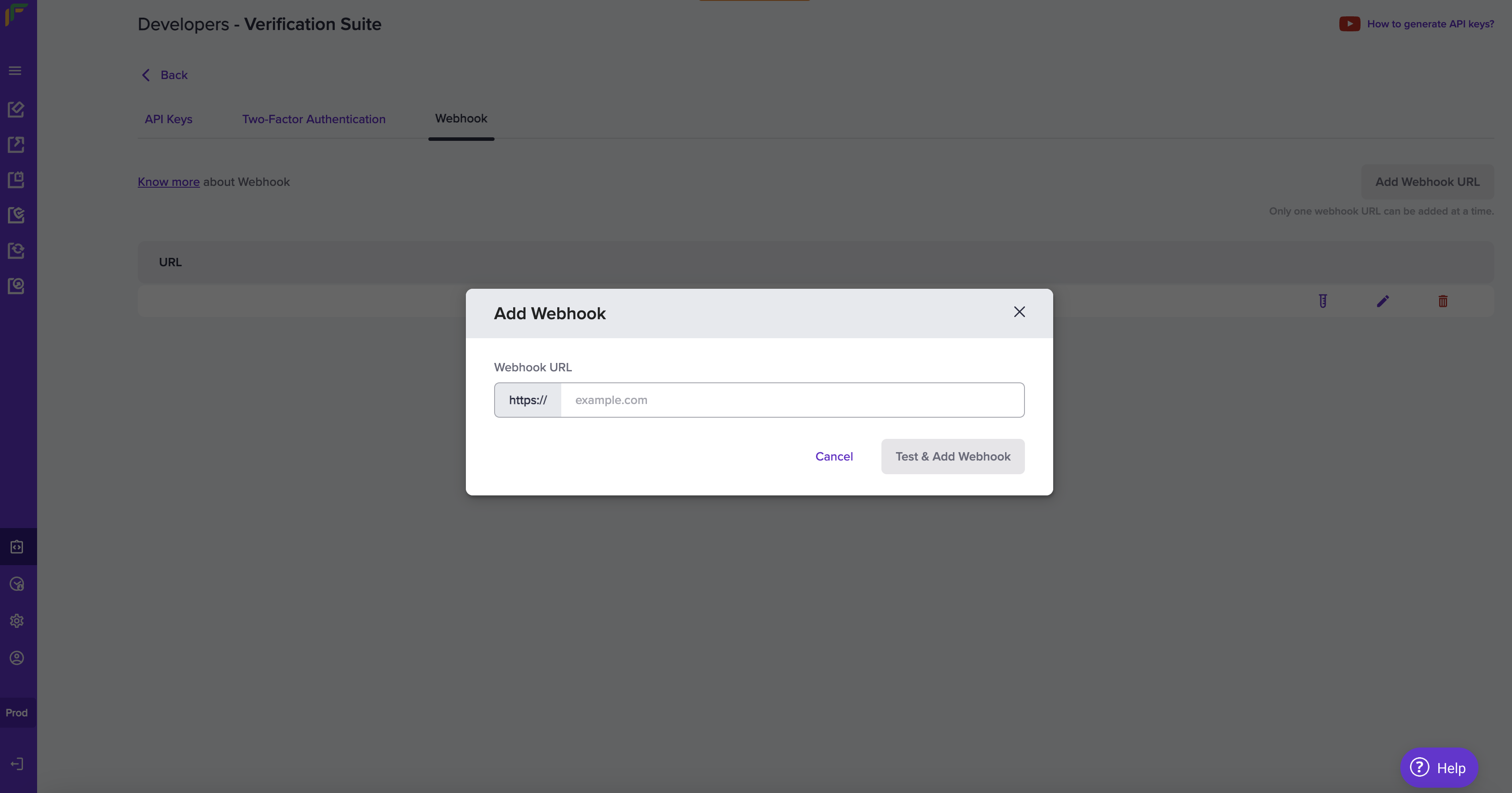
- Click Add Webhook URL in the Webhook screen.
- In the Add Webhook popup, fill in the following information:
- Webhook URL: Enter the URL in this field.
- Click Test & Add Webhook.
Consent webhook event
The following events are triggered at different stages of the account aggregator consent process:| Event | Description |
|---|---|
| AA_CONSENT_VERIFICATION_SUCCESS | Consent is approved. |
| AA_CONSENT_VERIFICATION_PAUSED | Consent is paused. |
| AA_CONSENT_VERIFICATION_REVOKED | Consent is revoked. |
| AA_CONSENT_VERIFICATION_REJECTED | Consent is rejected. |
| AA_CONSENT_VERIFICATION_EXPIRED | Consent has expired. |
AA_CONSENT_VERIFICATION_SUCCESS
AA_CONSENT_VERIFICATION_SUCCESS
AA_CONSENT_VERIFICATION_PAUSED
AA_CONSENT_VERIFICATION_PAUSED
AA_CONSENT_VERIFICATION_REVOKED
AA_CONSENT_VERIFICATION_REVOKED
AA_CONSENT_VERIFICATION_REJECTED
AA_CONSENT_VERIFICATION_REJECTED
AA_CONSENT_VERIFICATION_EXPIRED
AA_CONSENT_VERIFICATION_EXPIRED
FI webhook event
The following events are triggered at different stages of the account aggregator financial information process:| Event | Description |
|---|---|
| AA_FI_VERIFICATION_SUCCESS | Financial information verification is successful. |
| AA_FI_VERIFICATION_ACTIVE | Financial information consent is active. |
| AA_FI_VERIFICATION_FAILED | Financial information verification has failed. |
| AA_FI_VERIFICATION_EXPIRED | Financial information verification has expired. |
AA_FI_VERIFICATION_ACTIVE
AA_FI_VERIFICATION_ACTIVE
AA_FI_VERIFICATION_SUCCESS
AA_FI_VERIFICATION_SUCCESS
AA_FI_VERIFICATION_FAILED
AA_FI_VERIFICATION_FAILED
AA_FI_VERIFICATION_EXPIRED
AA_FI_VERIFICATION_EXPIRED
Webhook signature
You will receive the webhook signature in the webhook header. Here is a sample header from a webhook request.| Header name | Header value |
|---|---|
| content-length | 1099 |
| x-webhook-attempt | 1 |
| content-type | application/json |
| x-webhook-signature | 07r5C3VMwsGYeldGOCYxe5zoHhIN1zLfa8O0U/yngHI= |
| x-webhook-timestamp | 1746427759733 |
Webhook payload fields
The webhook payload contains important metadata in its top-level fields.| Field | Type | Description |
|---|---|---|
event_type | string | Indicates the type of event that triggered the webhook. |
event_time | string | The UTC timestamp of when the event occurred, formatted in ISO 8601 (YYYY-MM-DDTHH:MM:SSZ). |
version | string | Indicates the webhook format being used. Default version is “v1”. |
data | object | Contains event-specific details related to this feature. |
Verifying the signature is mandatory before processing any response. Refer to Signature Verification for more details.