

Guide to Subscribe Webhook Events
- Visit https://partner.cashfree.com login with your partner credentials
- On the landing page click on developers section and select webhook, you will be redirected to a page to add webhook URL and subscribe events or once logged in you can use this URL Webhook Page
- Add your webhook URL and subscribe events Global Collect Transaction, Global Collect Settlement & Global Collect Virtual Account
- To validate the webhook signature follow Adding webhook and signature verification guide
Screenshots:
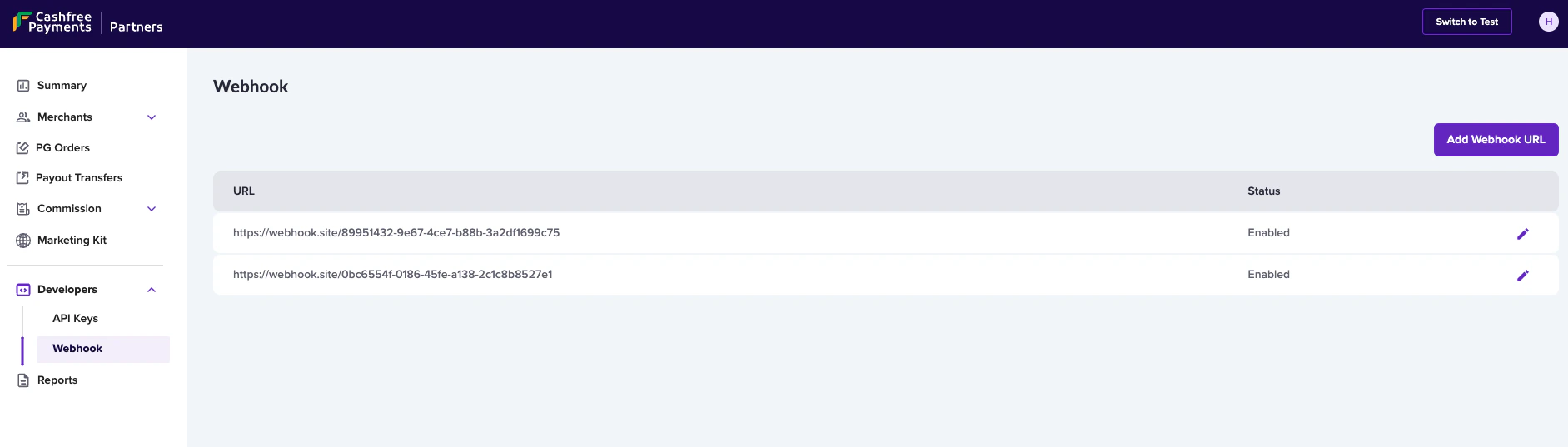
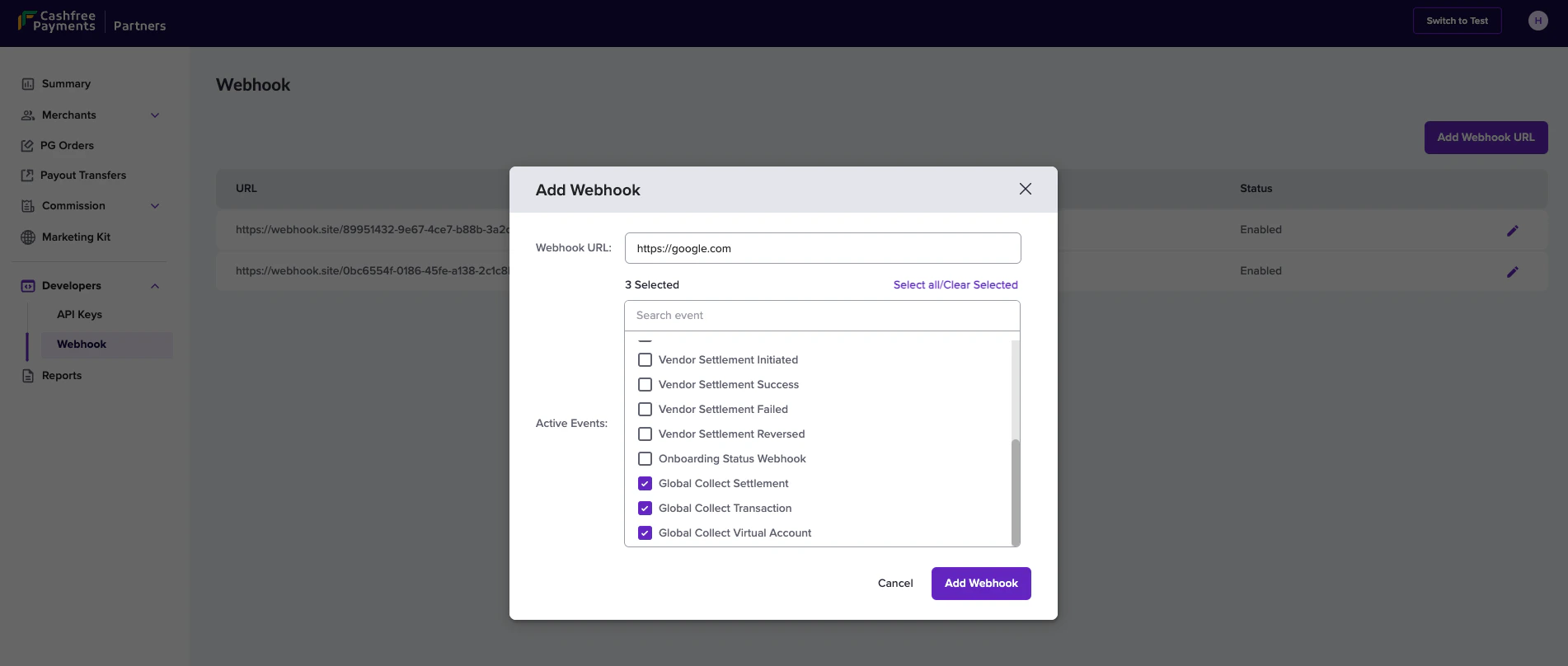
We can add multiple webhook URLs for the different type of events. For testing, Switch to test and follow the same step in sandbox environment.
Transaction status
Active Event needs to be subscribed: Global Collect TransactionJson
Possible Events and Corresponding Transaction Status Mapping
Payload field description
Reversal status
JSON
Possible Events and Corresponding Transaction Status Mapping
Payload field description
Settlement status
Active Event needs to be subscribed: Global Collect SettlementThe firaFileDownloadUrl field will only be included in the webhook response
after it has been updated.
Possible Events and Corresponding Settlement Status Mapping
Payload field description
Virtual account details
Active Event needs to be subscribed: Global Collect Virtual AccountJson