- Name match score:
0to1 - Name match category:
Direct Match,Partial Match, orNo Match
- Handles initials, middle names, and abbreviations.
- Understands phonetic and regional spelling variants.
- Recognises missing or extra spaces.
- Supports subset matching such as Harsh Kishore vs HKishore.
- Detects salutation-based name patterns such as Aditya Roy S/O Jatin.
- Considers sequence, gender, and regional norms as it is context aware.
Key benefits
The following points highlight the key capabilities of Cashfree’s Name Match feature:- Built for Indian names:Trained on over 100 million Indian name records, the model understands initials, salutation formats, and regional variations.
- Accurate and explainable: Returns both a match score and a category, enabling you to build rule-based logic around onboarding or rejection.
- Higher conversion, lower friction: Reduce false mismatches, improve user onboarding success rates, and cut down on manual reviews.
- Real-time and scalable: Integrates with your existing stack to validate names instantly at scale.
Use cases
The following are key use cases for the Name Match API:Verifying name match
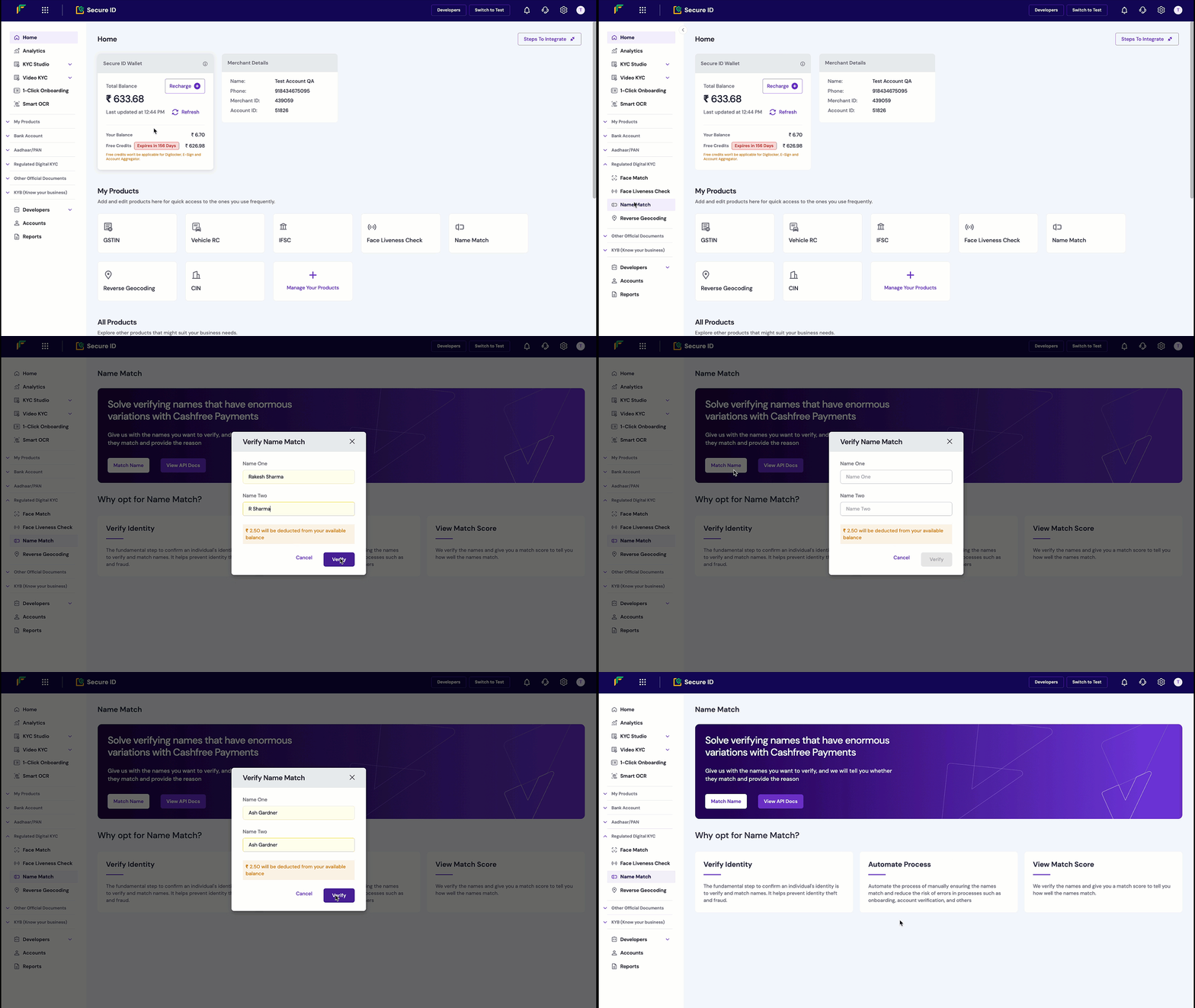
Follow these steps to verify the Name Match in the Merchant Dashboard:- Log in to the Merchant Dashboard.
- In the left navigation menu, select Regulated Digital KYC, and then select Name Match.
- In the input fields, enter the two names you want to compare.
- Select Verify to start the name match check.
- View the
match scoreandmatch categoryin the popup.