Cashfree Payments creates Cashfree Wallet, a virtual account, when you complete the onboarding process with us. You receive an account number and an IFSC for your payouts account. You can easily add funds to your wallet, initiate payouts to your beneficiaries, and verify your customer details using Secure ID products. With Cashfree Wallet, you can instantly add funds, get notified when the balance in your wallet goes below the specified limit, and withdraw the funds to your registered business bank account.

Add funds to Cashfree wallet

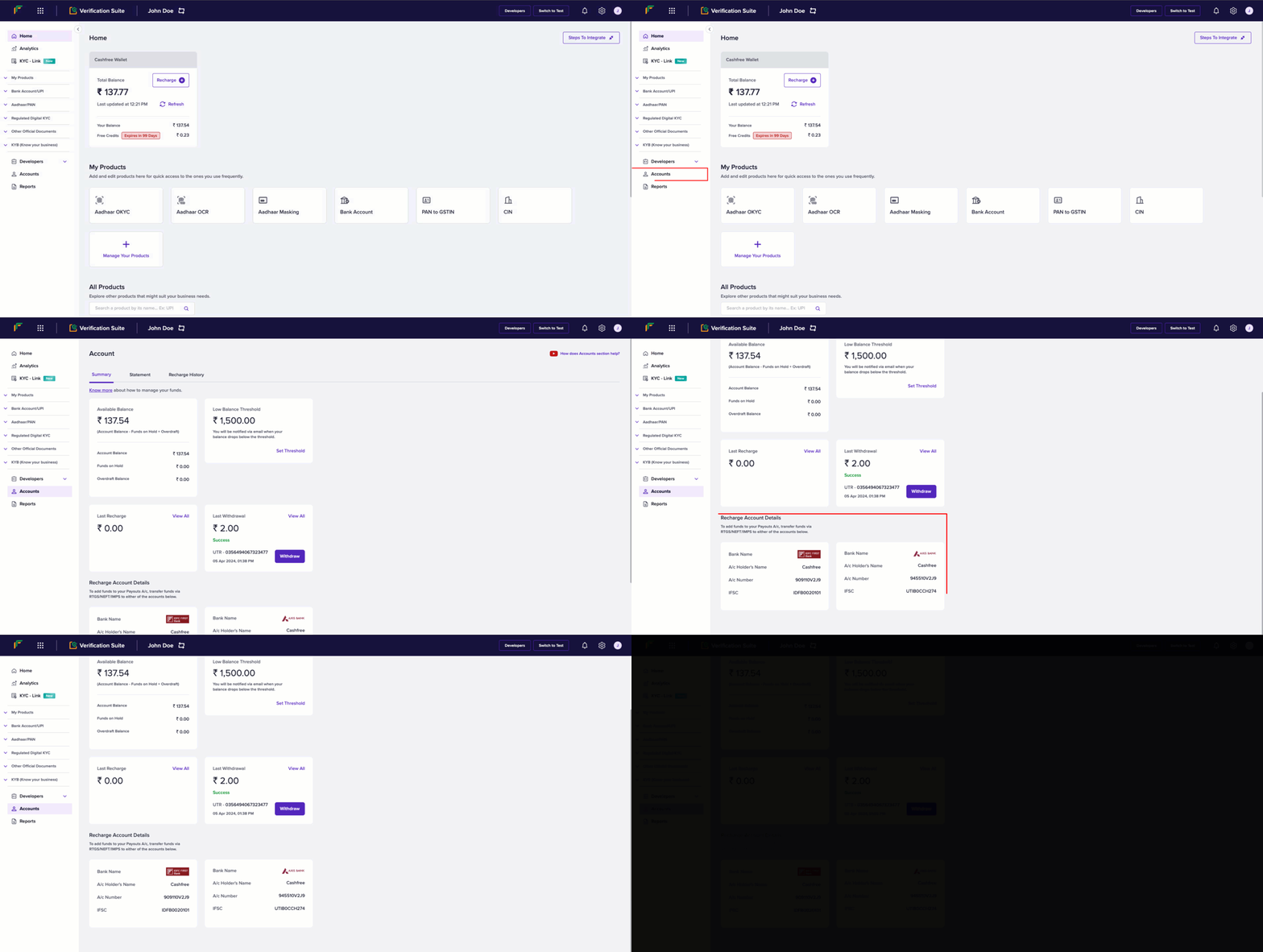
Follow these instructions to view the account details of your Cashfree Wallet:
  1. Log in to your Secure ID dashboard using your credentials.
  2. From the Home screen, click Accounts
  3. Scroll down to view the recharge account details.
  4. To add funds to your Cashfree Wallet, transfer funds via RTGS/NEFT/IMPS to either of the displayed accounts.
Whitelist bank accounts

Our review team checks and verifies KYC details and documents submitted during the onboarding process automatically or manually. Once your bank account details verification is successful, Cashfree whitelists your bank account for payments.