Allocate funds
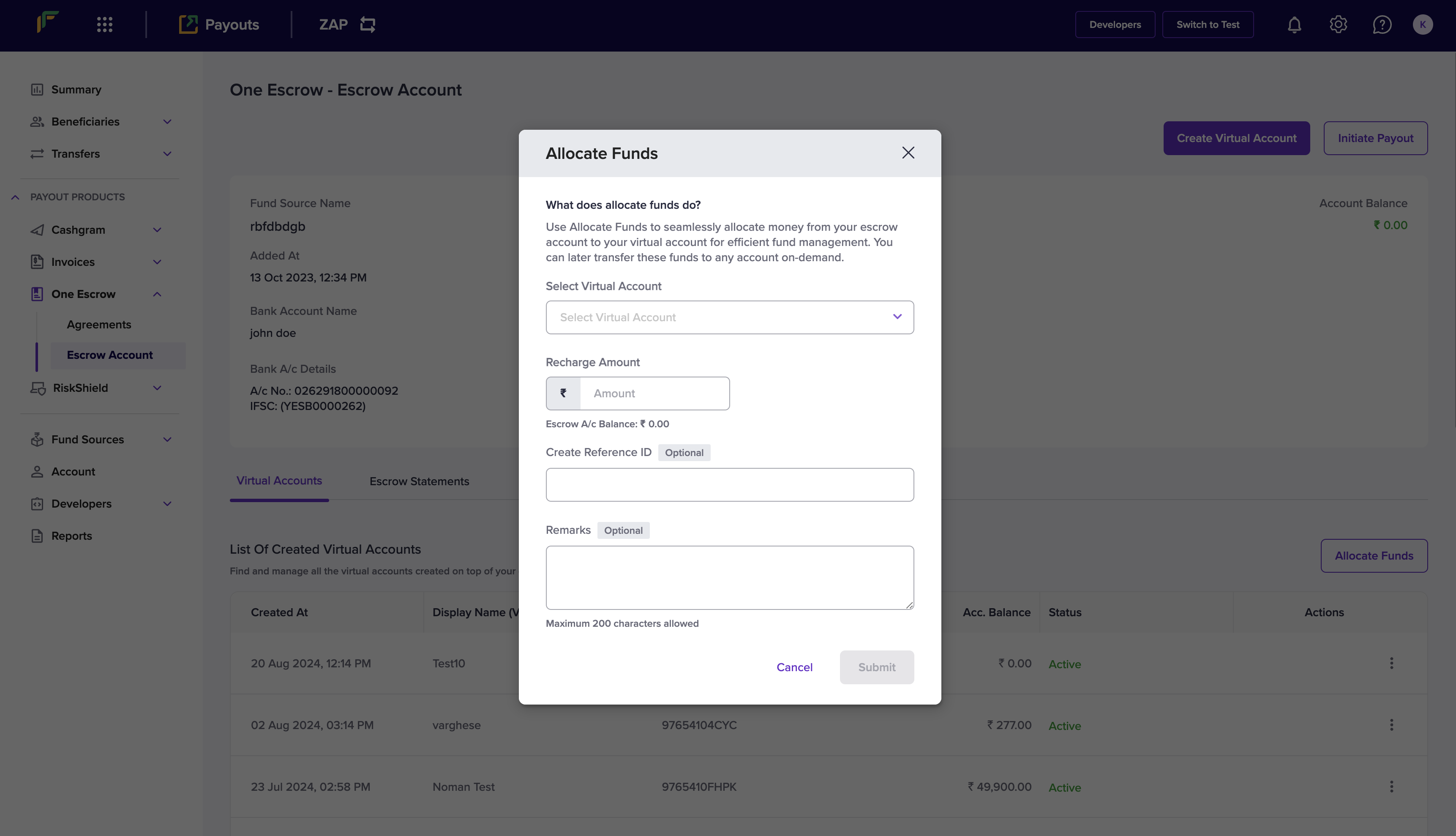
Follow the instructions below to allocate funds:- Log in to the Merchant Dashboard.
- Go to Payouts Dashboard > One Escrow > Escrow Account.
- Click Allocate Funds in the One Escrow - Escrow Account page.
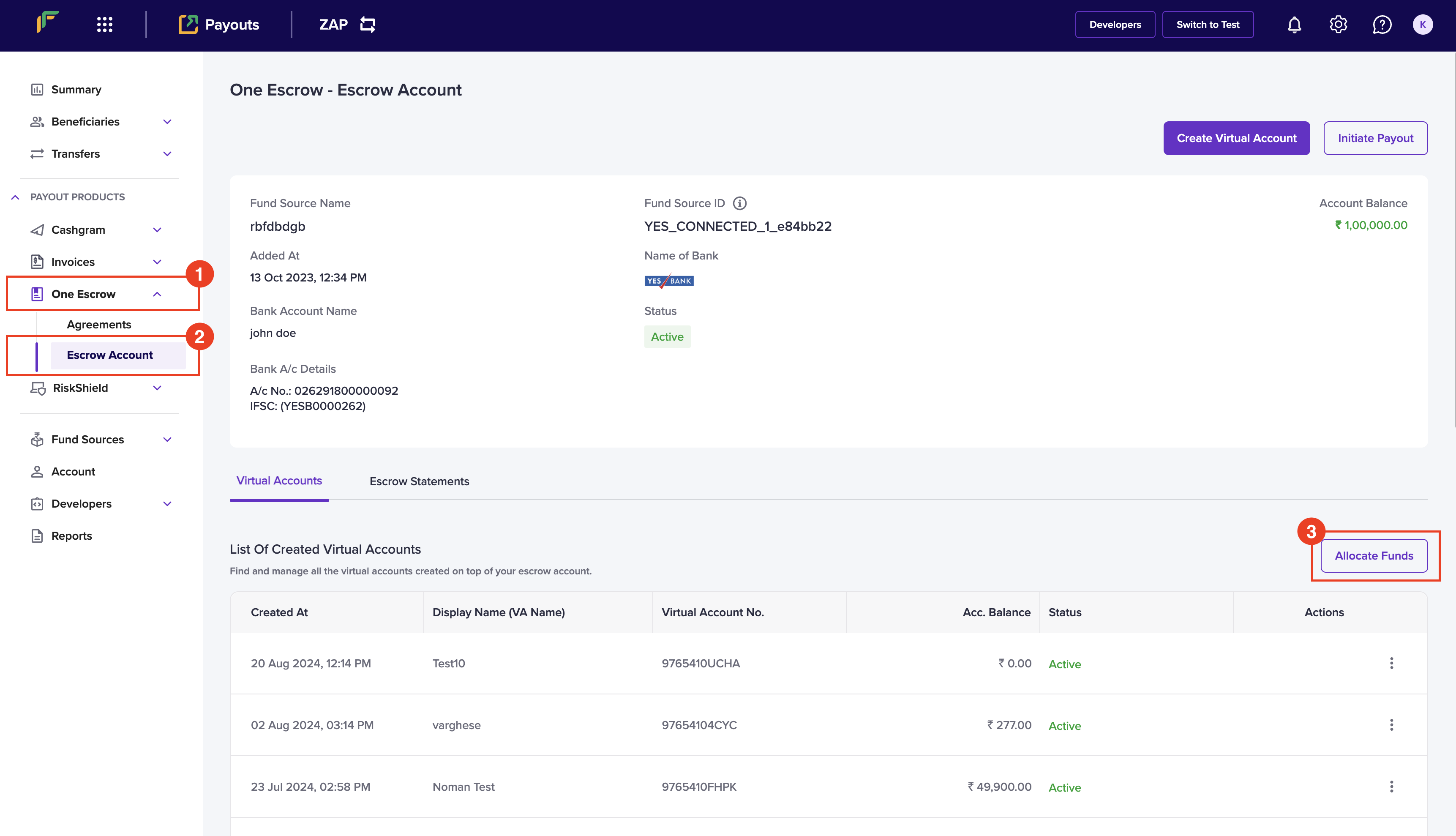
- Enter the following information in the Allocate Funds popup:
- Select Virtual Account: Choose a virtual account from this dropdown menu.
- Recharge Amount: Enter the amount you want to allocate in this field.
- Create Reference ID: Enter a unique ID to identify this allocation. This is an optional field.
- Remarks: Enter any remarks. This is an optional field.
- Click Submit.