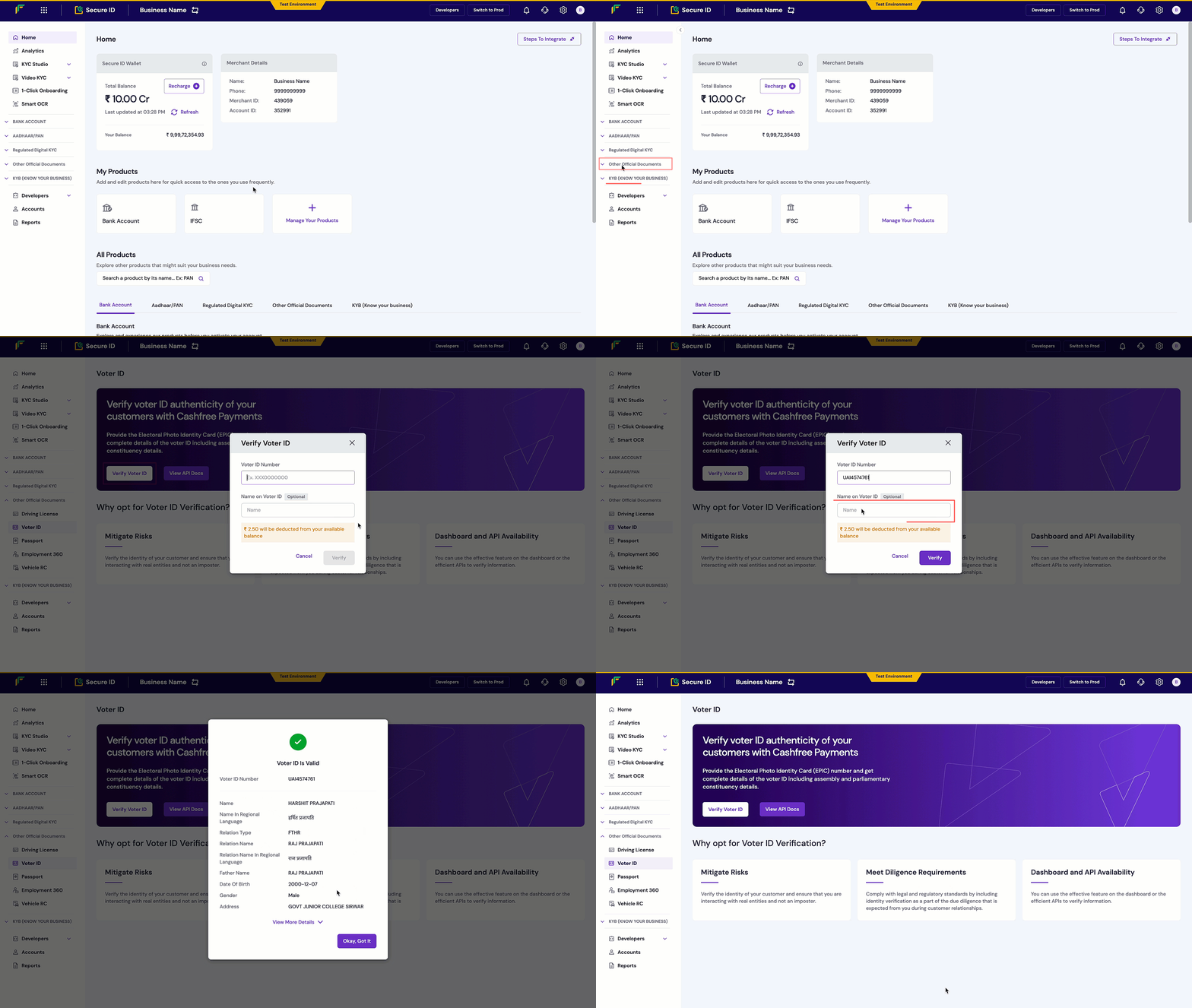
Use Cashfree Voter ID verification to validate EPIC numbers against India’s electoral records and fetch voter and constituency details in real time.
Voter ID verification enables businesses to instantly validate the authenticity of an individual’s voter ID (EPIC) number directly against India’s official electoral records. This allows businesses to fetch complete voter details, including assembly and parliamentary constituency information.This solution is a strong alternative to Aadhaar verification, helping reduce drop-offs in onboarding flows where Aadhaar is unavailable or insufficient.
{ "type": "invalid_request_error", "code": "verification_failed", "message": "Invalid EPIC number format", "details": [ { "field": "epic_number", "issue": "EPIC number not found in records" } ]}
Integrate the Voter ID Verification API into your application to automatically verify voter ID numbers within your signup or onboarding flow.