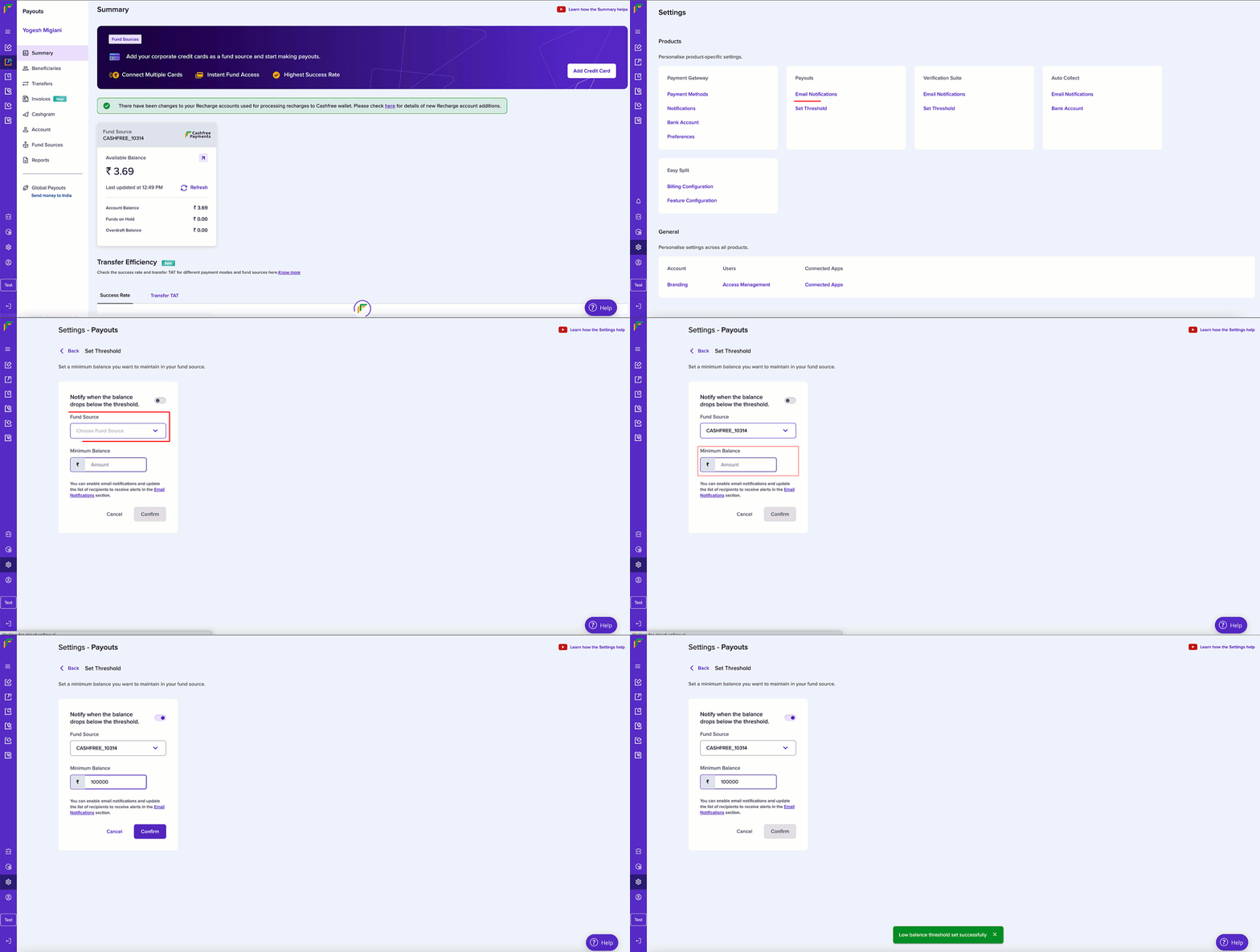
Set low balance threshold
Follow the instructions below to set threshold for your Payouts account:- Log in to the Merchant Dashboard.
- Go to Payouts Dashboard > Settings.
- Click Set Threshold under the Payouts section.
- Fill in the following information:
- Notify when the balance drops below the threshold: Switch the toggle on to receive email notifications when the balance drops below the set amount.
- Fund Source: Use the dropdown to choose the fund source you want to set the threshold limit.
- Minimum Balance: Enter the minimum balance amount in this field.
- Click Confirm.