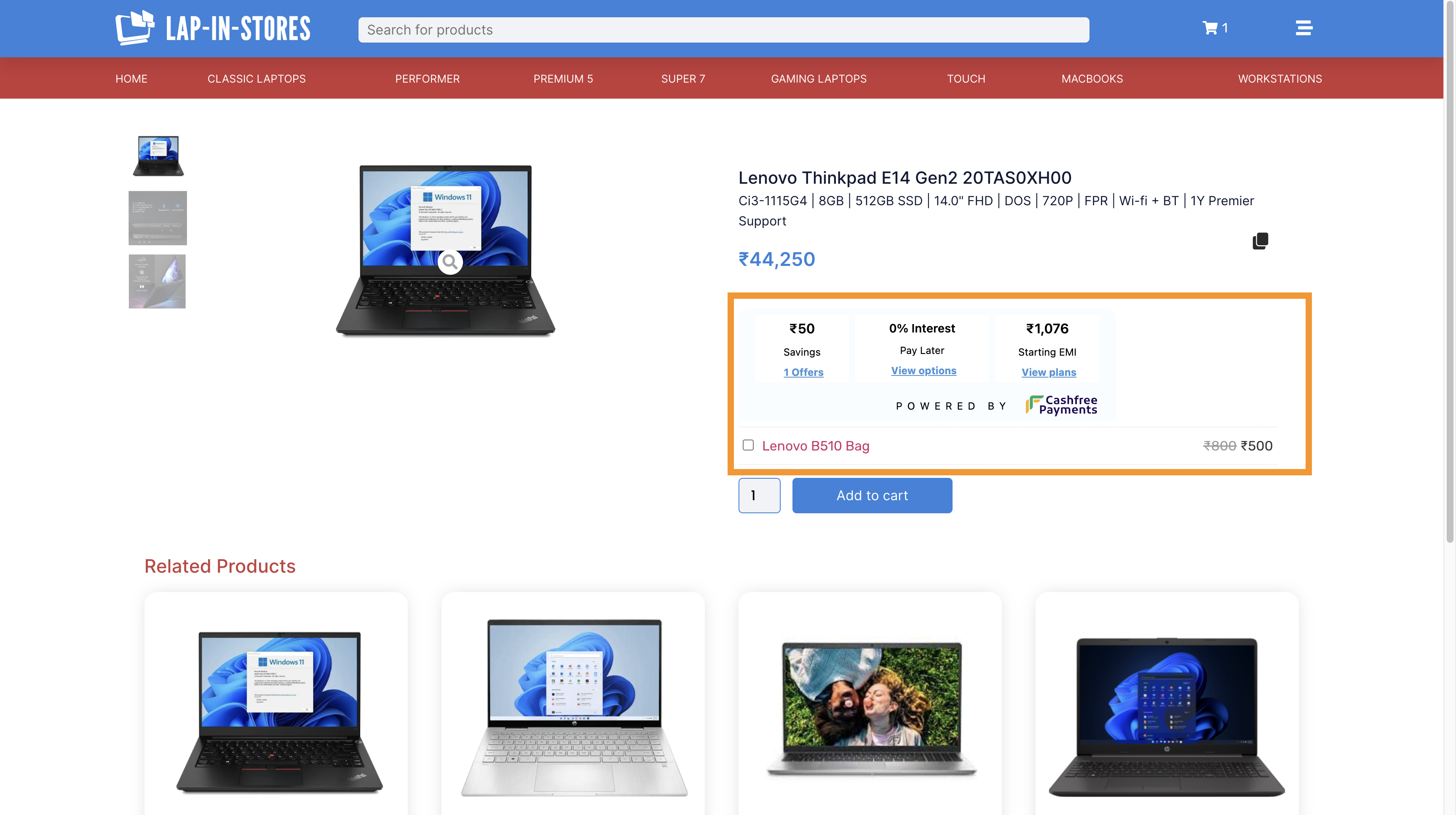
Integrate Cashfree BNPL Plus to display BNPL offers and flexible EMI options to shoppers before checkout, lifting average order value on your store.
You can now integrate BNPL Plus into your website and offer a good customer experience by letting them know about the various available offers and flexible payment options before they proceed to checkout.
Add the following div near the product price section of your webpage. This indicates where BNPL Plus would appear.
Java
<div id="cashfree-widget"></div>
Copy and paste the following snippet to the JS file and link it to your HTML file:
Java
window.addEventListener("load", function () { const widgetConfig = { clientID: "<Your App Id>",// Mention the App ID amount: "<Your Product Price>", // Pass the product price here //Customize the widget with Offers, PayLater and EMI offers: "true", payLater: "true", emi: "true", theme: { widgetColor: "#ccccff", linkColor: "#000000", cfLogoTheme: "dark", isLogoActive: true, } }; // To initiate the widget const cashfree = CF_Widget(widgetConfig); cashfree.load();});
You can now see BNPL Plus on your product page. Provide the app ID. Log in to the Merchant Dashboard and go to the Developers > API Keys section. Learn how to view the App ID. Paste the App ID in the above snippet as the client ID value.
BNPL Plus is compatible with all Javascript frameworks such as React, Vue, Angular and so on.
Here is an image of how BNPL Plus looks once you have successfully integrated it with your website.
Was this page helpful?
Assistant
Responses are generated using AI and may contain mistakes.