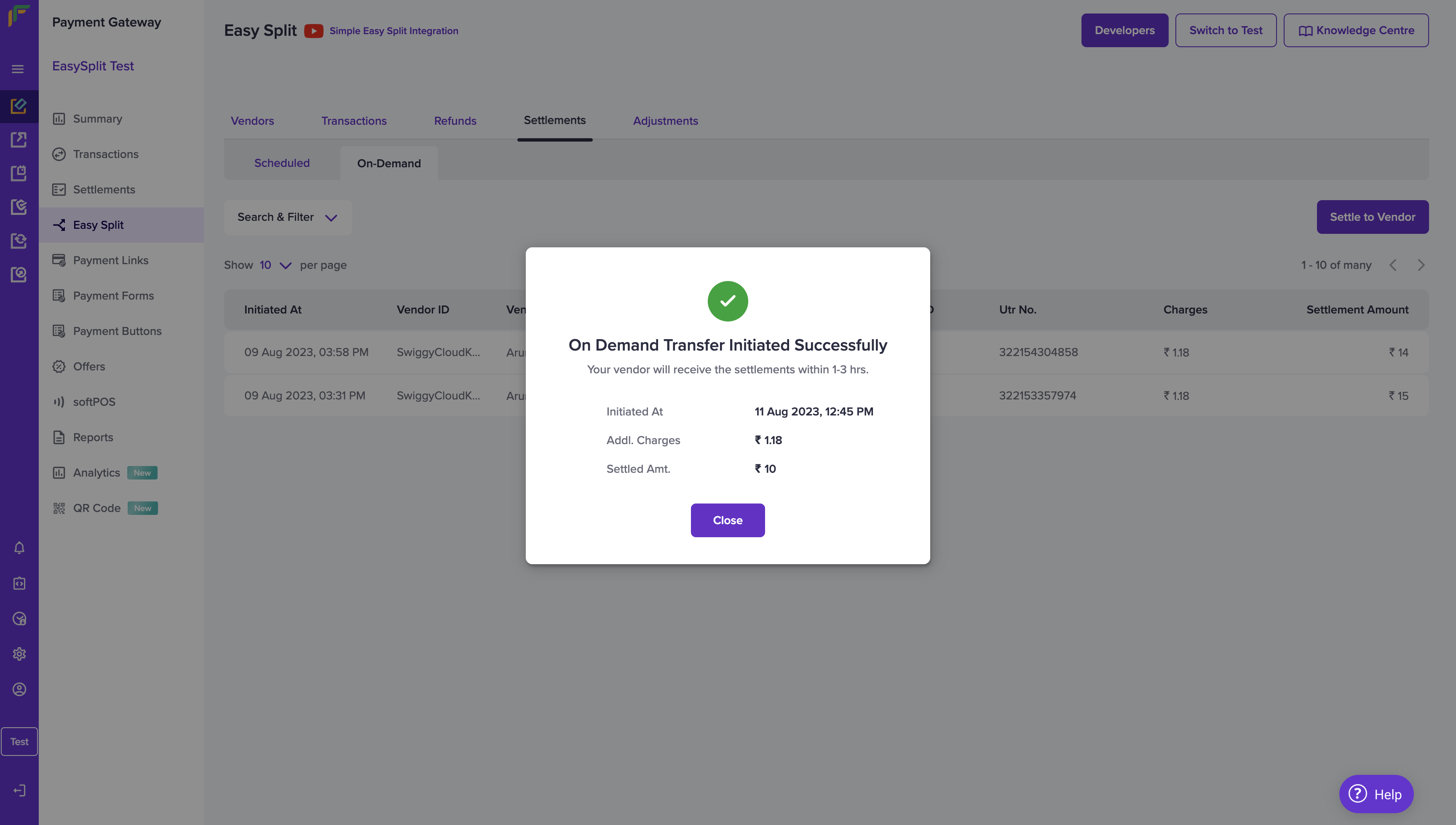
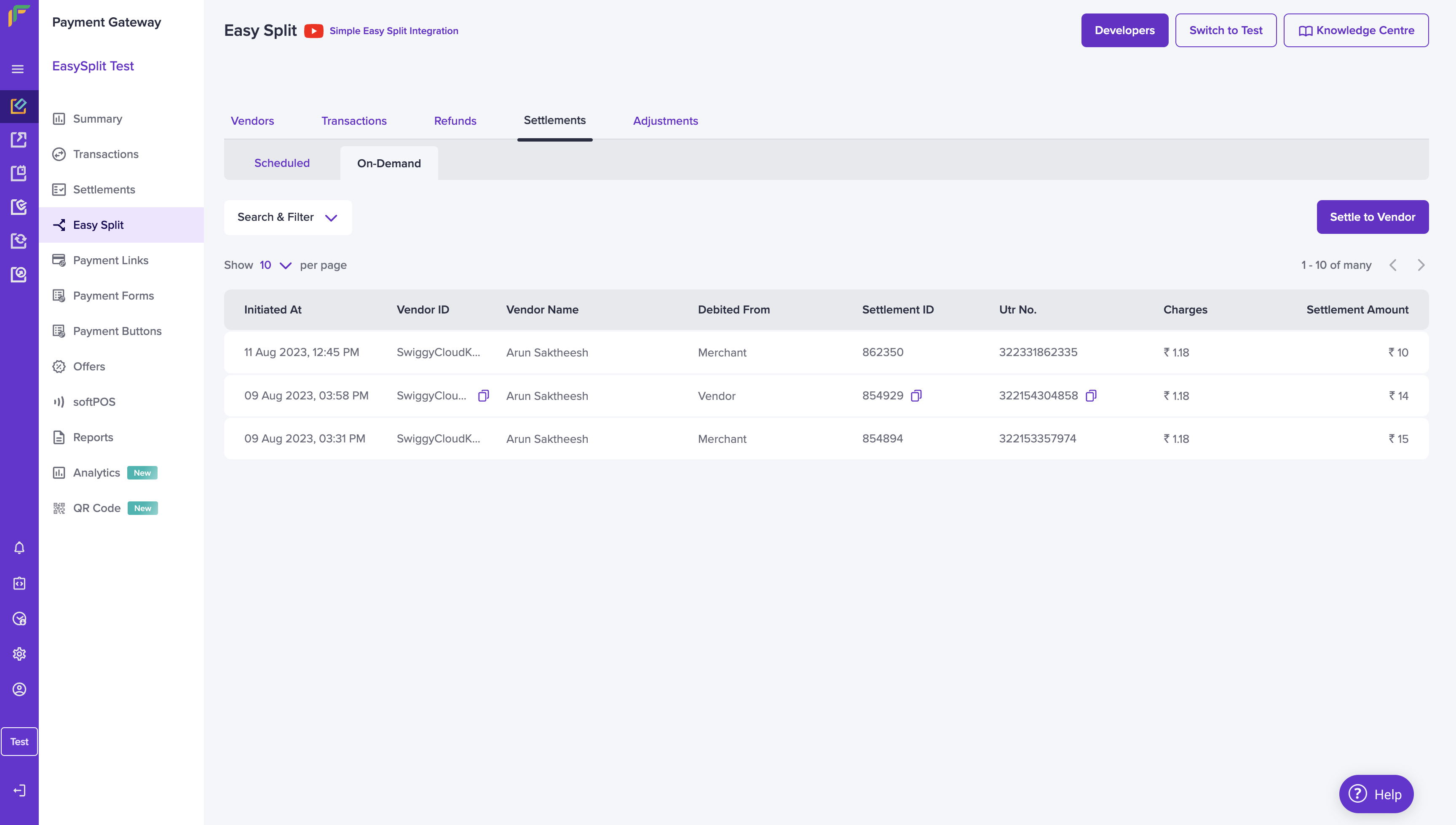
- On-demand settlement based on interval
- On-demand settlement based on the amount
Initiate on-demand settlement based on interval
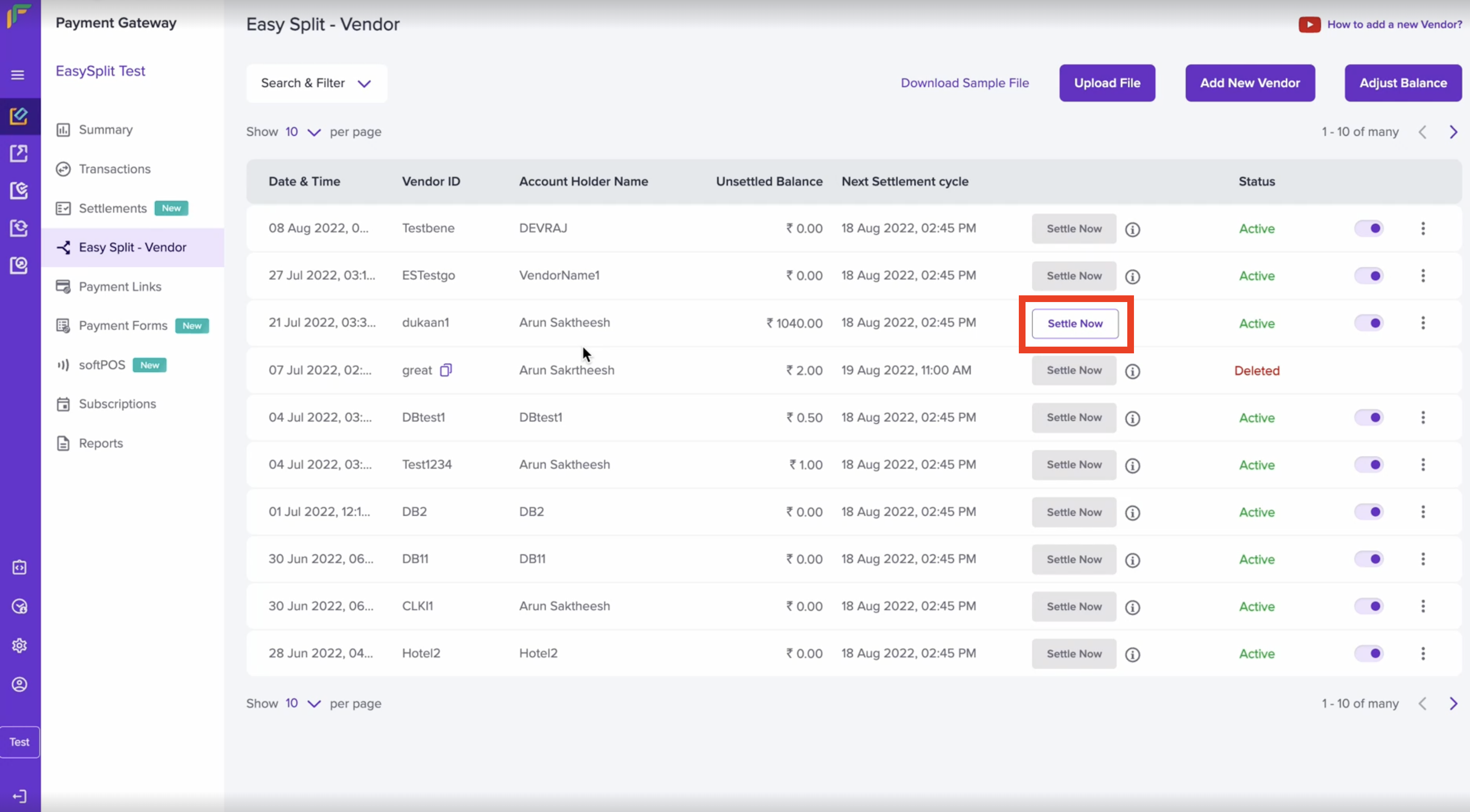
- Go to Payment Gateway Dashboard > Easy Split > Vendors > Settle Now.
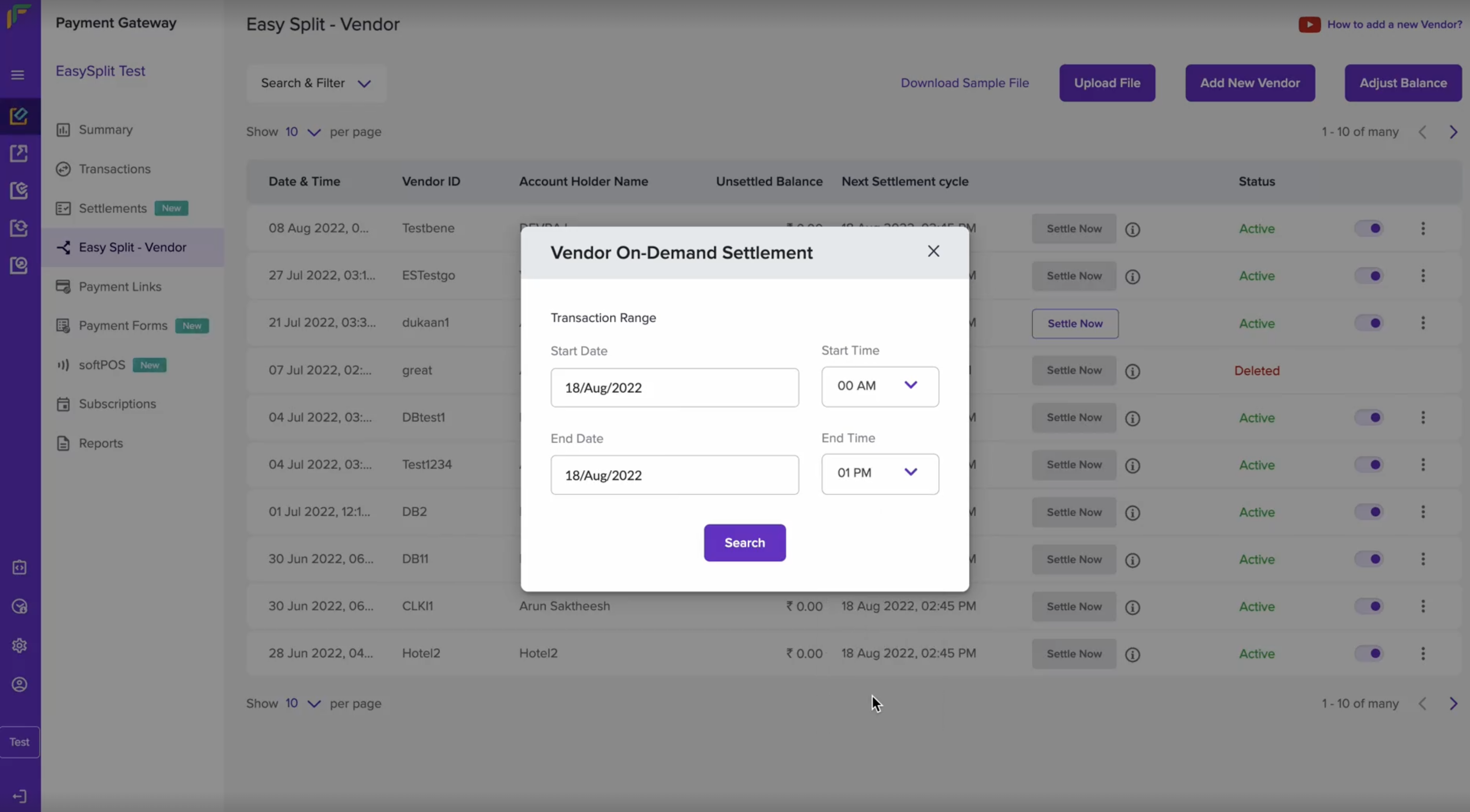
- Mention the Start Date and Time, End Date and Time and click Search.
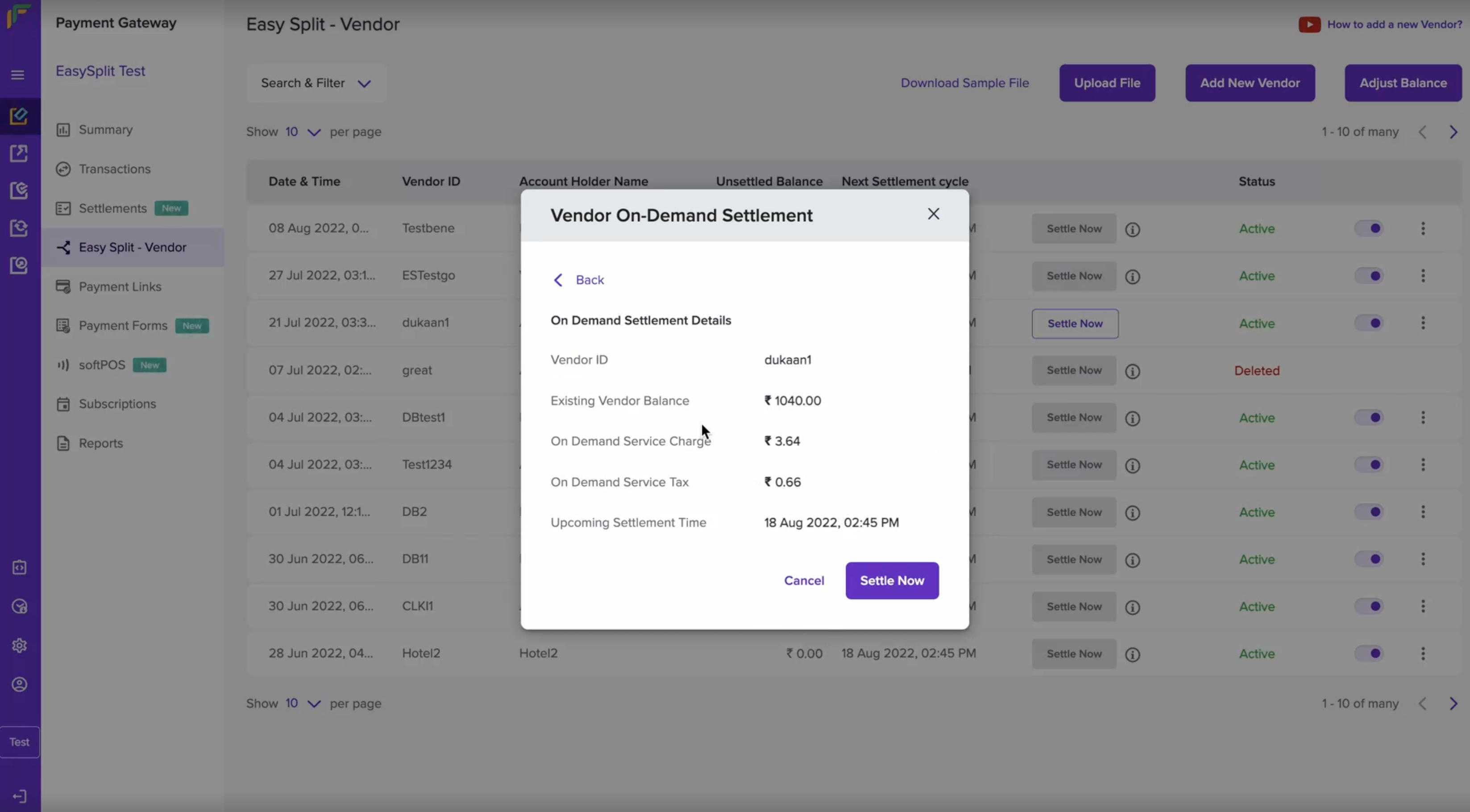
- The related On-Demand settlement will be shown. Verify the vendor ID, the settlement amount, and the settlement time. Once done, click Settle Now.
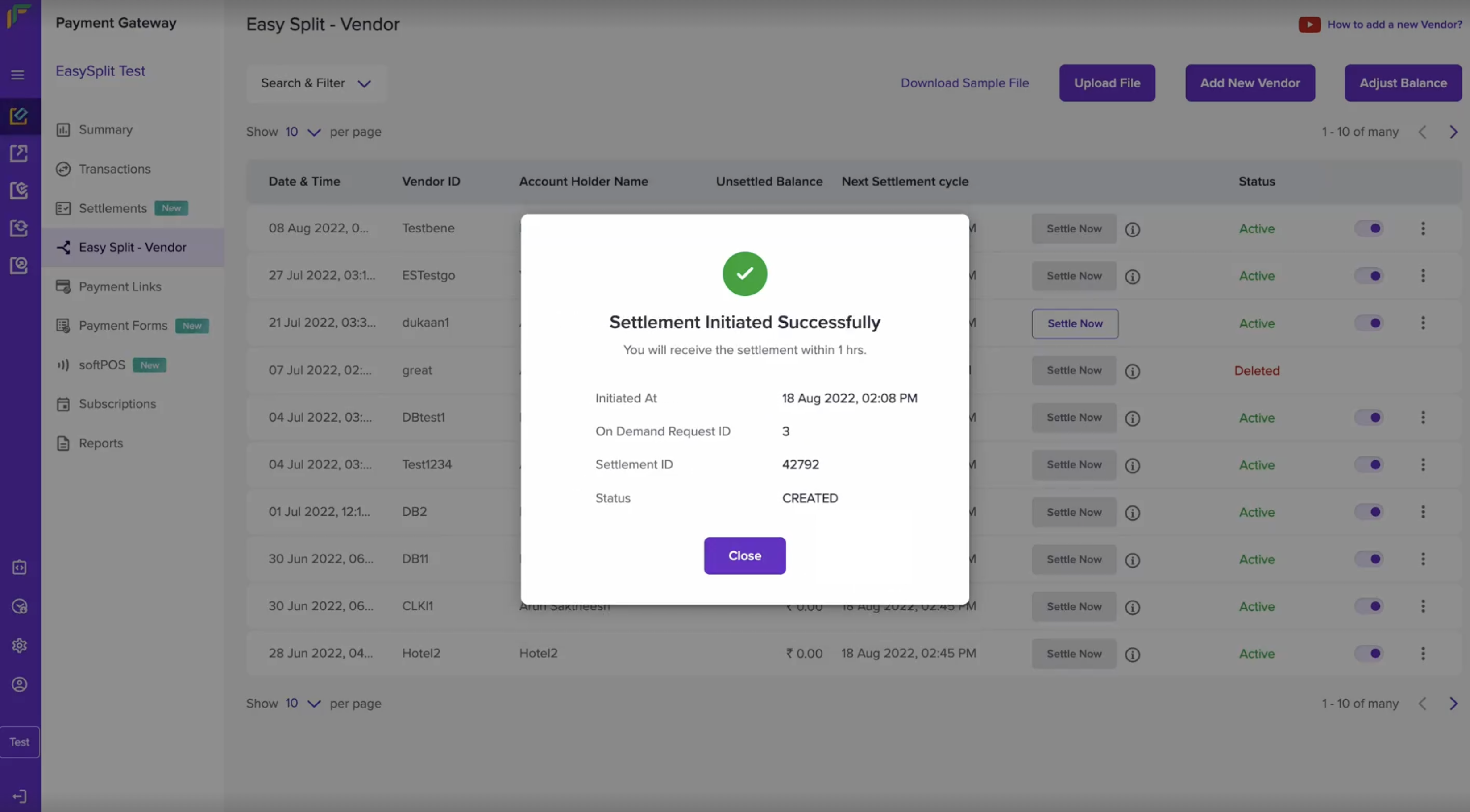
- You will now get a message that your On-demand settlement has been initiated successfully.
You can settle vendor balances on-demand only if: The vendor balance is
greater than or equals Rs. 1000. - Transactions are processed at least 15
minutes before initiating on-demand settlements through
API. - Transactions are processed at least 1 hour
before initiating on-demand settlements through the Merchant Dashboard.
Initiate on-demand settlement based on amount
- Go to Payment Gateway Dashboard > Easy Split > Settlements > On-Demand > Settle to Vendor.
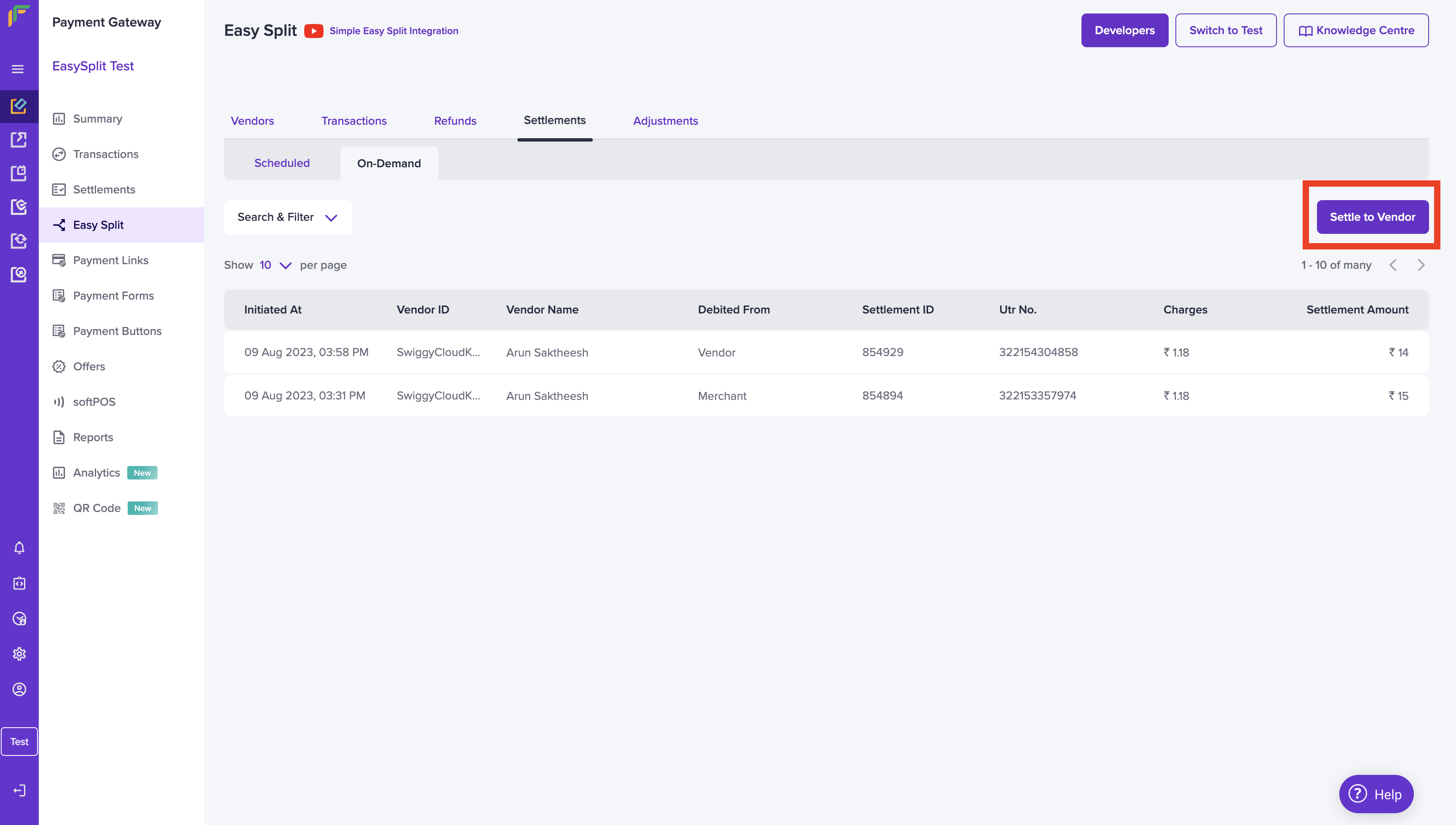
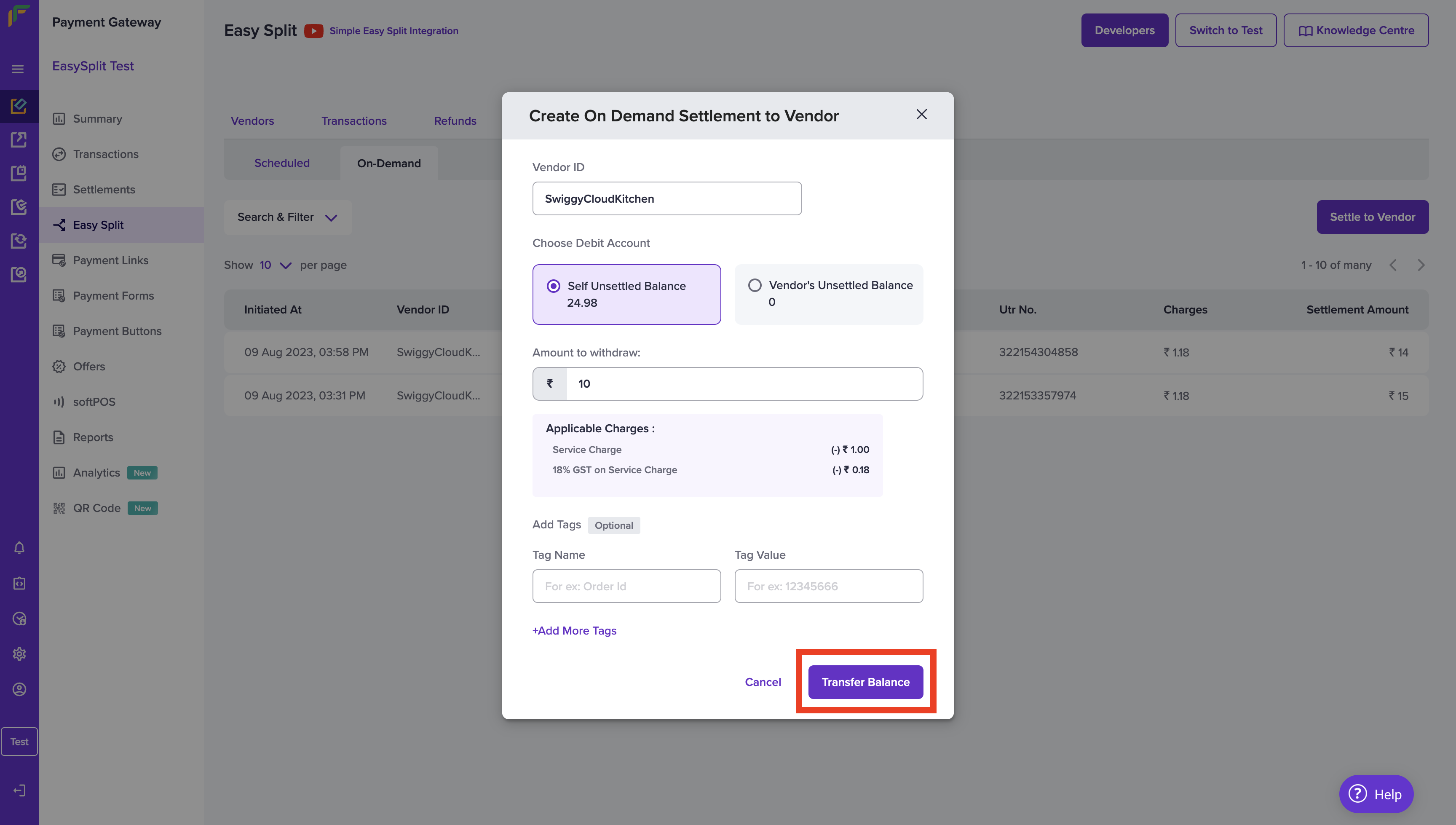
- In the “Create On Demand Settlement to Vendor” pop-up, enter the vendor ID to which you must settle. Choose the Debit Account, you can either choose to debit from your unsettled balance or debit from your vendor’s unsettled balance.
- Enter the withdrawal amount, add tags if needed and click Transfer Balance.
- Once done, you will receive a message stating the On-Demand Settlement was initiated successfully.