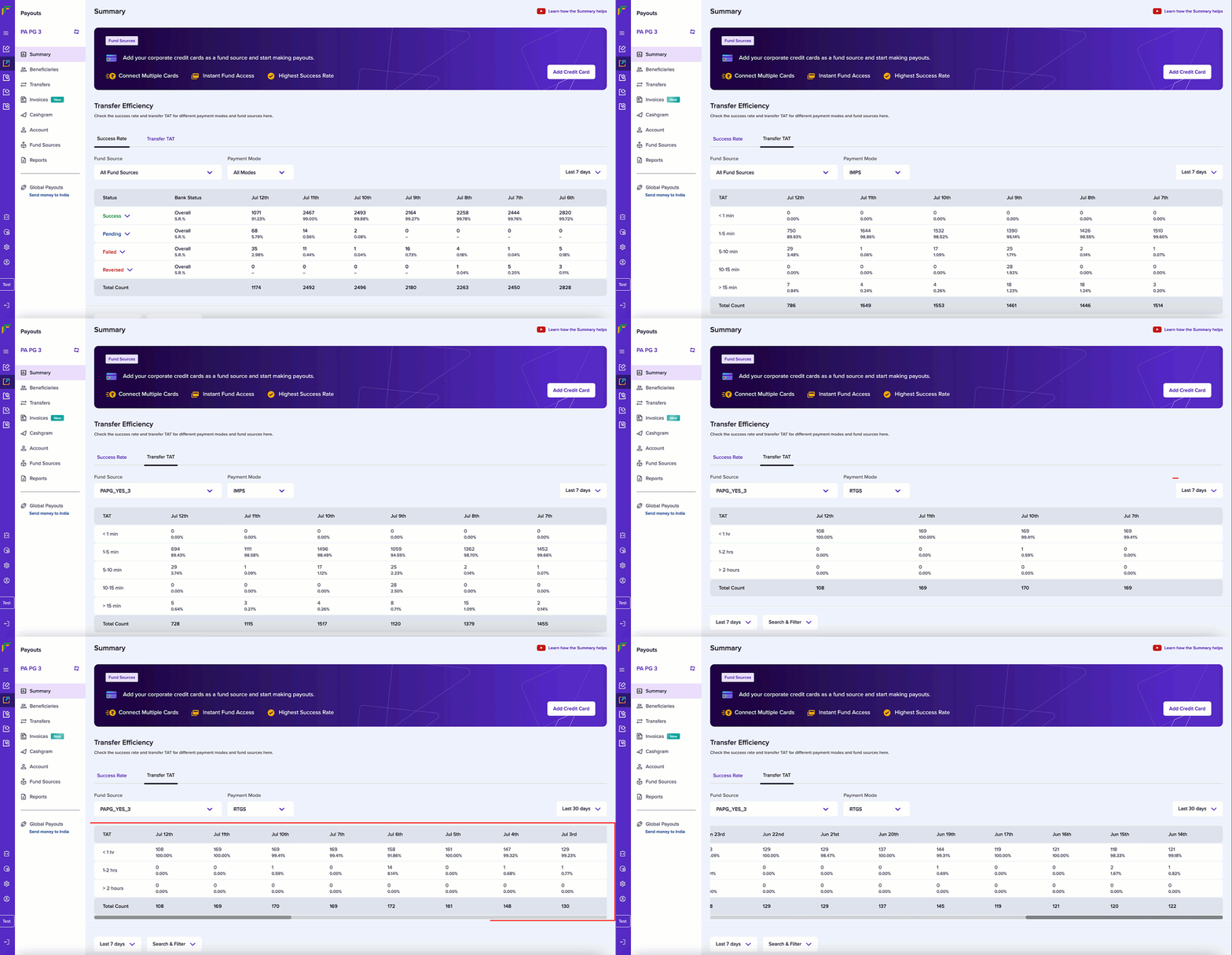
View success rate data
Success rate gives you the percentage of the successful transfers processed. To view the data on the success rate of your transfers, follow the instructions below:- Log in to the Merchant Dashboard.
- Go to Summary of the Payouts dashboard.
- Select the Success Rate tab.
- Filter the following detail to view specific data:
- Fund Source: Choose a fund source from this dropdown field.
- Payment Mode: Choose a payment mode from this dropdown field.
- Last 7 days: Choose between last 7 or 30 days from this dropdown field.
- The screen shows the success rate data based on the filter you provided. The data is grouped by transfer status for the selected time period.
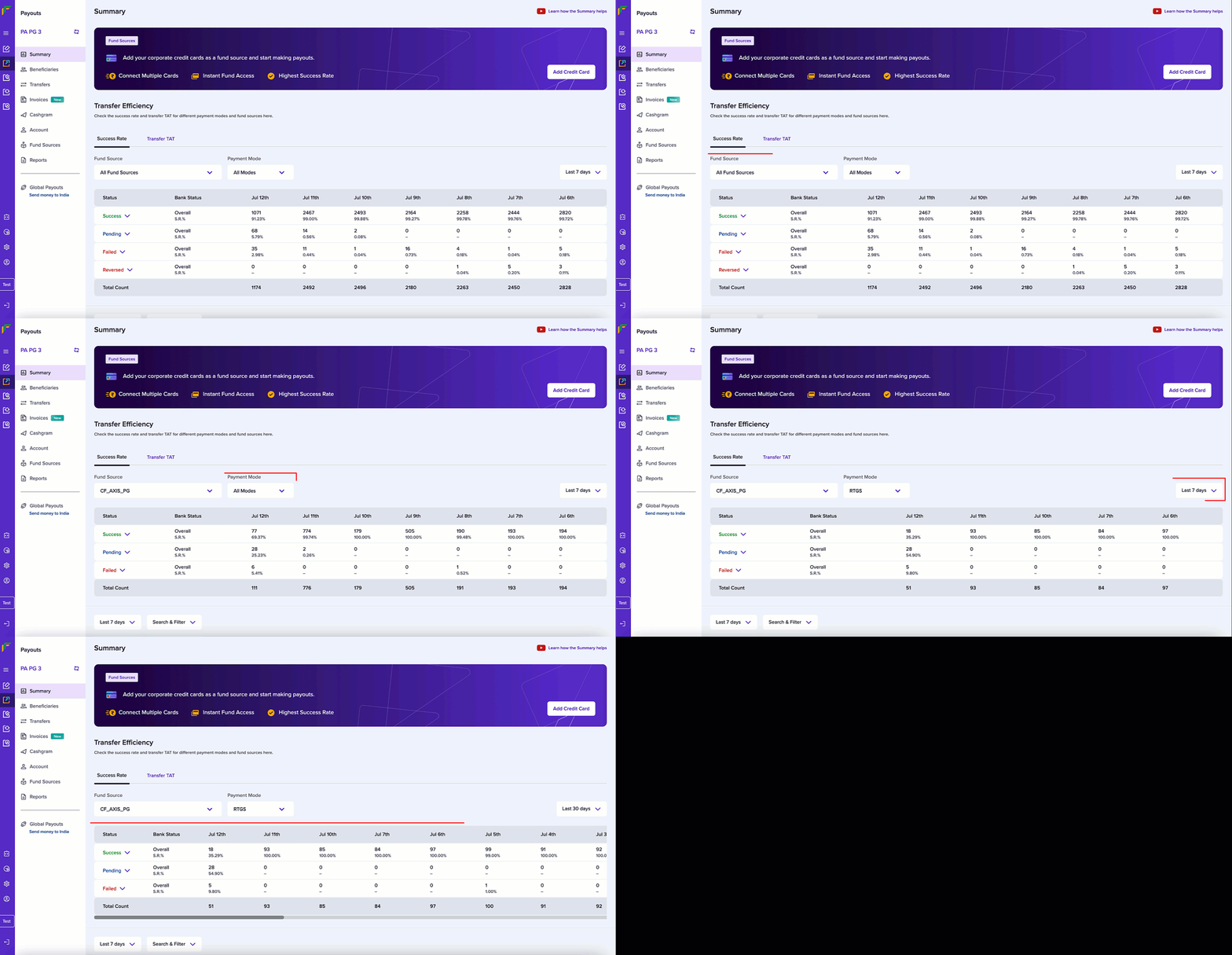
- Select the dropdown button to view the detailed information of each status. Hover over the bank status to get a brief description.
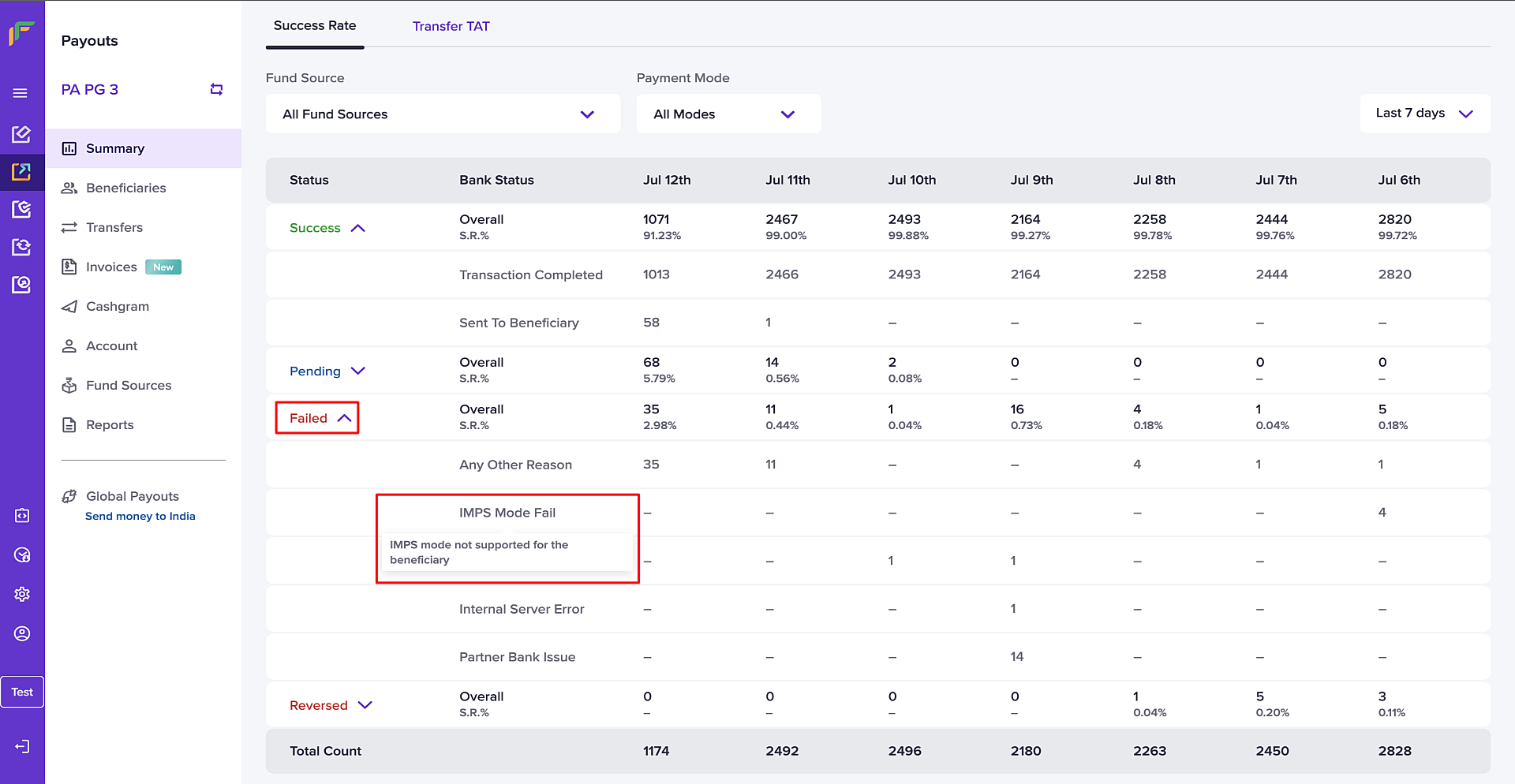
View TAT data
Turnaround time (TAT) is the time taken to complete a transfer. To view the data on the turnaround time of your transfer, follow the instructions below:- Log in to the Merchant Dashboard.
- Go to Summary of the Payouts dashboard.
- Select the Transfer TAT tab.
- Filter the following detail to view specific data:
- Fund Source: Choose a fund source from this dropdown field.
- Payment Mode: Choose a payment mode from this dropdown field.
- Last 7 days: Choose between last 7 or 30 days from this dropdown field.
- The screen shows the turnaround time (TAT) data based on the filter you provided. The data is grouped by the time taken to complete transfers for the selected time period.