

Step 1: Activate Offline Payments
Ensure that you have an active Cashfree Payment Gateway account, then request Offline Payments activation from the Merchant Dashboard.1
Navigate to Offline Payments
Log in to the Merchant Dashboard, then go to Offline Payments.
2
Request activation
If the product is not yet active, click Request Activation. This sends an activation request to your Cashfree account manager.
3
Wait for email confirmation
You will receive an email confirmation once your account manager activates Offline Payments.
Step 2: Select a collection point
After activation, click Access on Offline Payments - SoftPOS, open Collection Point Management, then click Add Collection Point.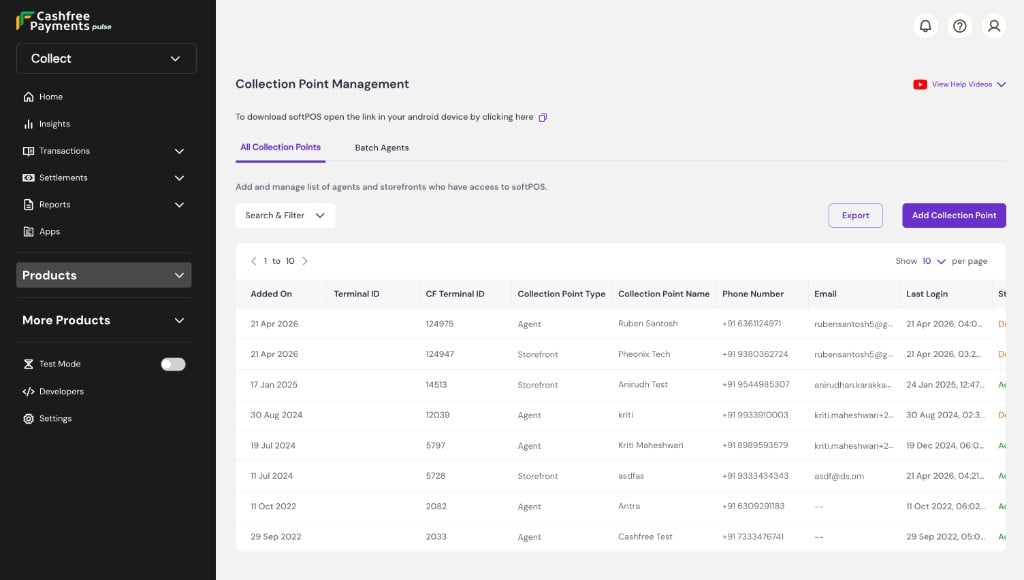
Storefront
Storefront
Use this model if you operate one or more physical store locations and want customers to scan a static QR code to pay at the counter, with funds credited directly to your account.
Agent (softPOS)
Agent (softPOS)
Use this model if your staff or agents collect payments on your behalf at the point of service, such as at a customer’s doorstep or table, with funds credited directly to your account.
Customer VPA
Customer VPA
Use this model if you need to track payments at the individual customer level, such as for loan repayments, fee collection, or recurring charges.
Step 3: Set up your collection points
Cashfree must verify each collection point before you can start collecting payments. Follow the respective setup steps according to your selected collection point type:Each collection point must reach Active status before you can start collecting payments.
Step 4: Start collecting payments via agents
Agents can begin accepting payments through the softPOS application, a mobile app for Android devices that supports QR codes, payment links, and more. For instructions on setting up static and dynamic QR codes, payment links, and payment limits, see agent collection point.All transactions, cash and digital, are visible in a single dashboard. See settlements and reports to understand how and when funds are transferred to your bank account.