

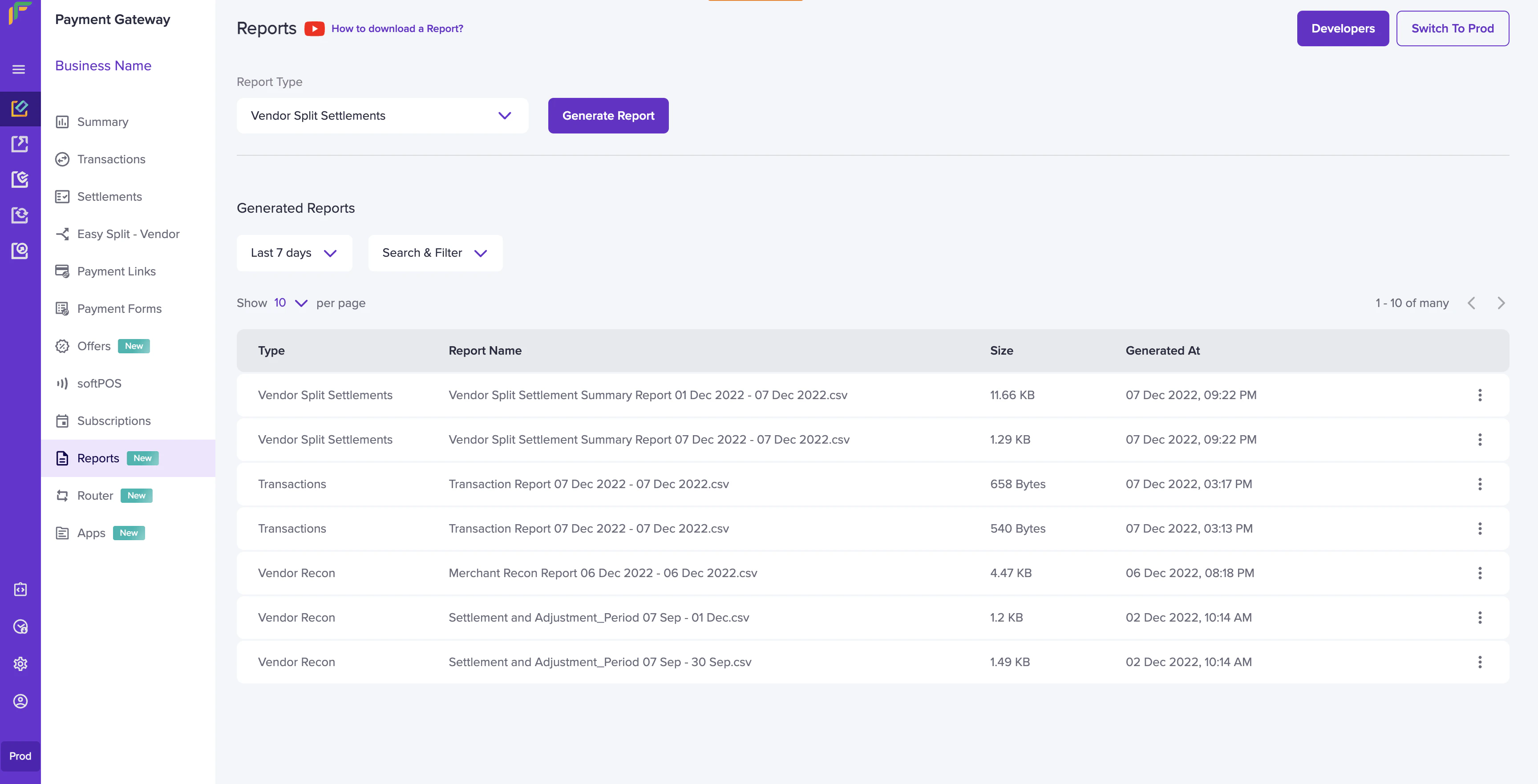
- Go to Payment Gateway Dashboard > Reports.
- In the Report Type field, select Vendor Split Settlements, and click Generate Report.
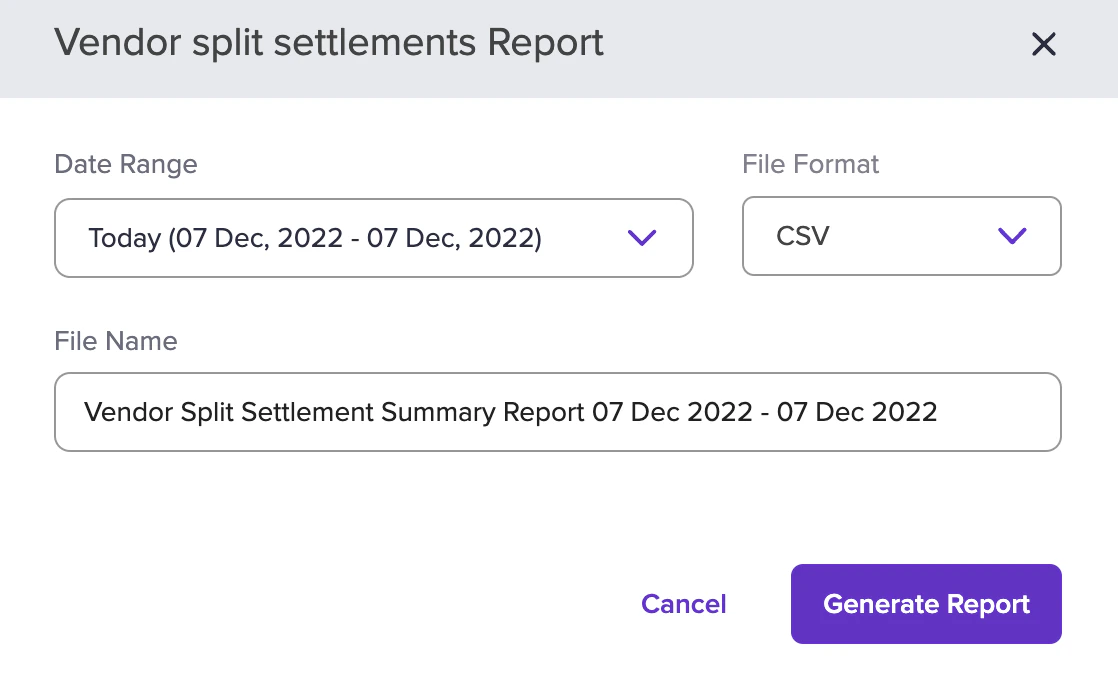
- Select the date range, file format, and file name. and click Generate Report.
Download Cashfree Easy Split settlement reports to track vendor payouts, commissions, and adjustments credited from orders during each settlement cycle.