

Create an account
To create a Cashfree account, complete the following steps:- Go to the Cashfree sign up page.
- Provide the business email address and set a password, then select Continue. Alternatively, select Sign up with Google to create the account directly.
- Enter the mobile number, select Create account, and verify it using the OTP sent to the registered phone.
Select the checkbox to receive account updates via WhatsApp. Cashfree may contact you for clarifications during the onboarding process.
1
Business details
On the Business details page, enter the brand name, select the product or service category, and choose the annual turnover range from the dropdown menu. Select Continue to proceed.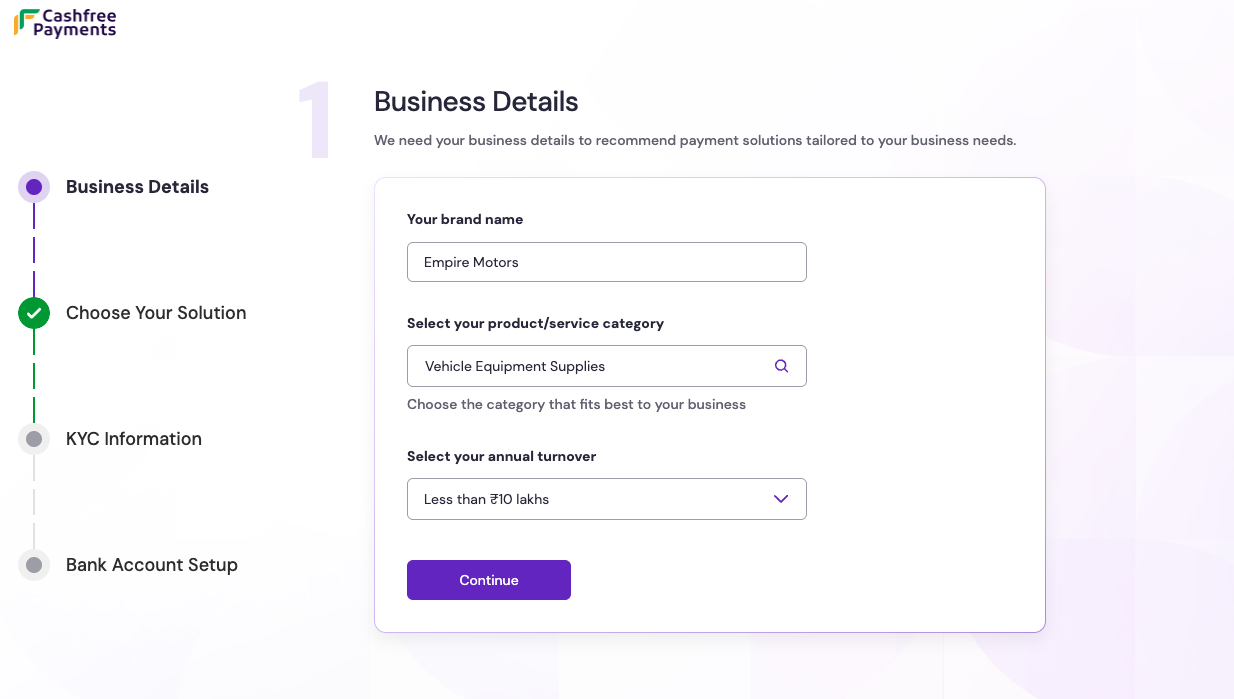
2
Choose your solution
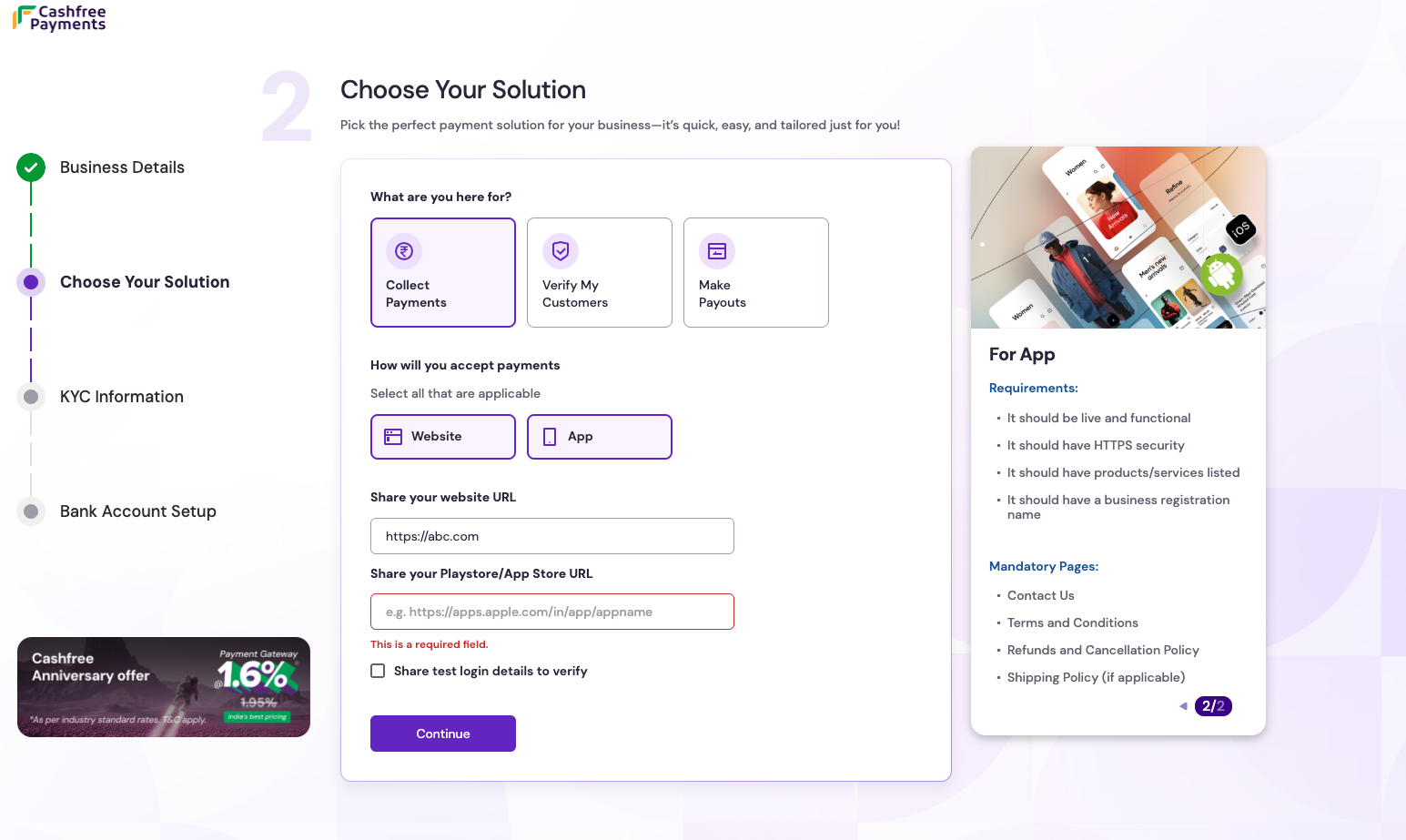
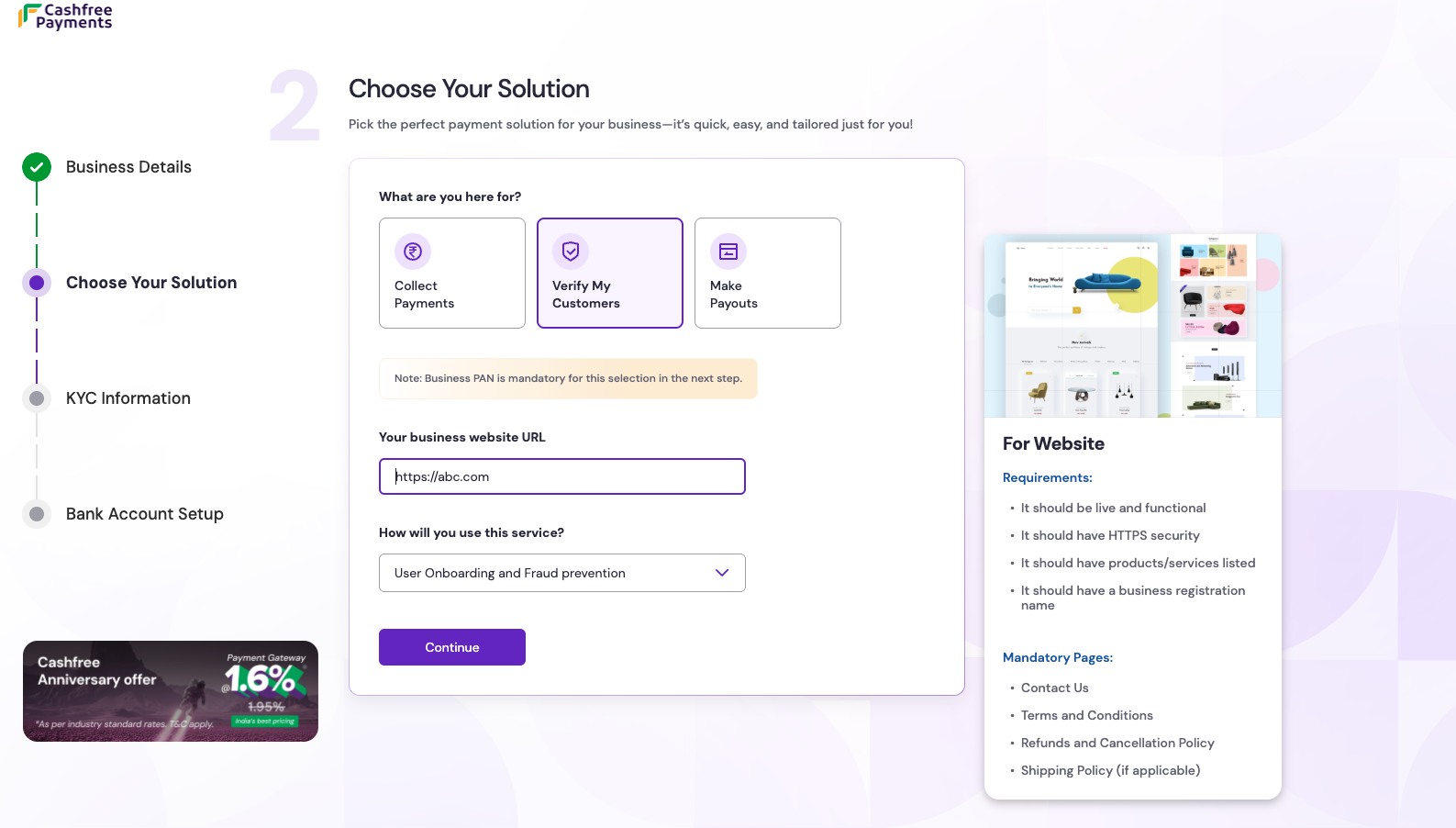
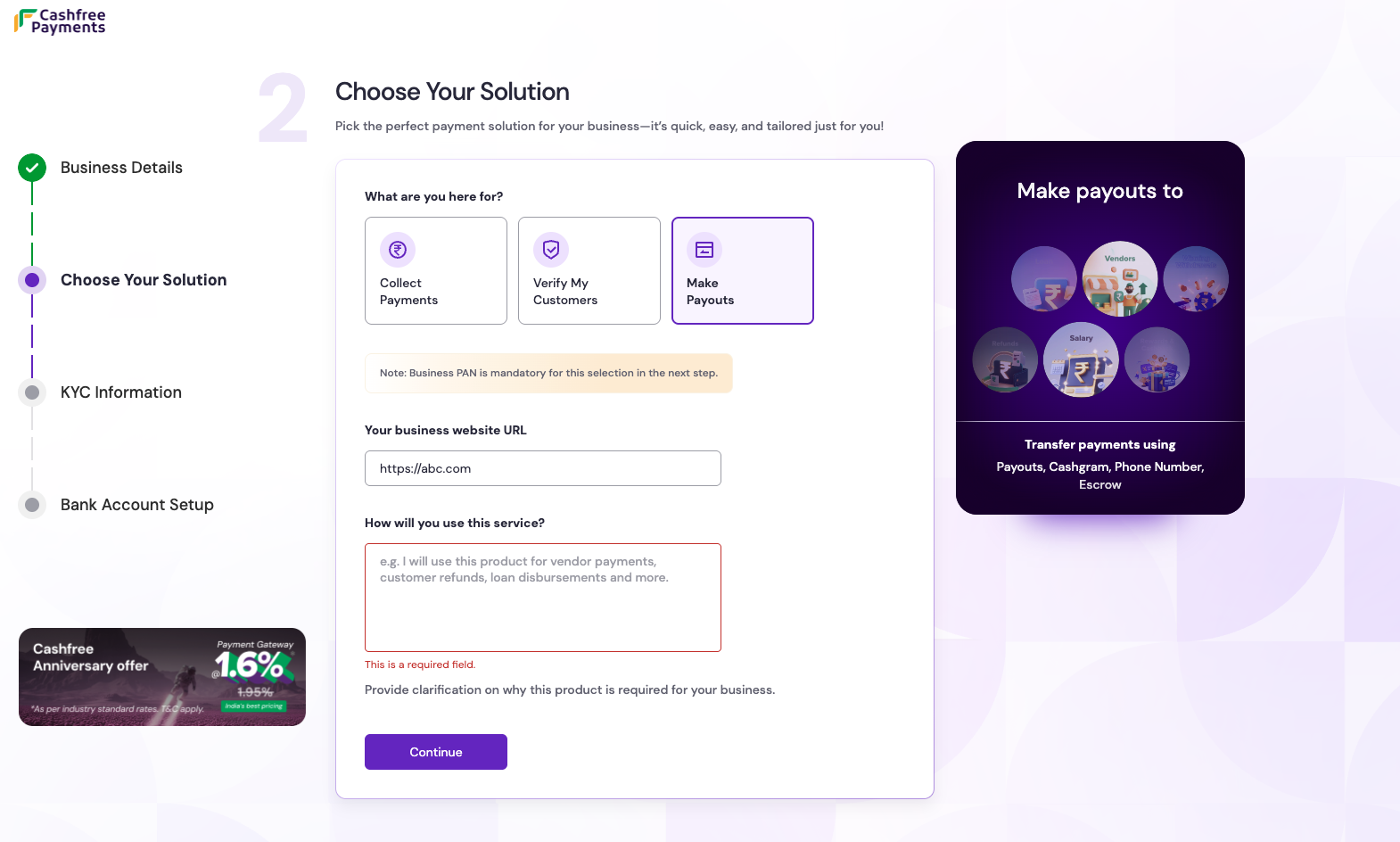
On the Choose your solution page, select the product that best fits the business needs. Provide the following details based on the selection:Select Continue after choosing the preferred solution.
- Collect Payments
- Verify My Customers
- Make Payouts
Accept and automate online payments from customers across web and mobile apps while ensuring high conversion rates.
- Requirements: Provide the website URL or the Play Store or App Store URL for the app.
3
KYC information
On the KYC information page, provide the following details: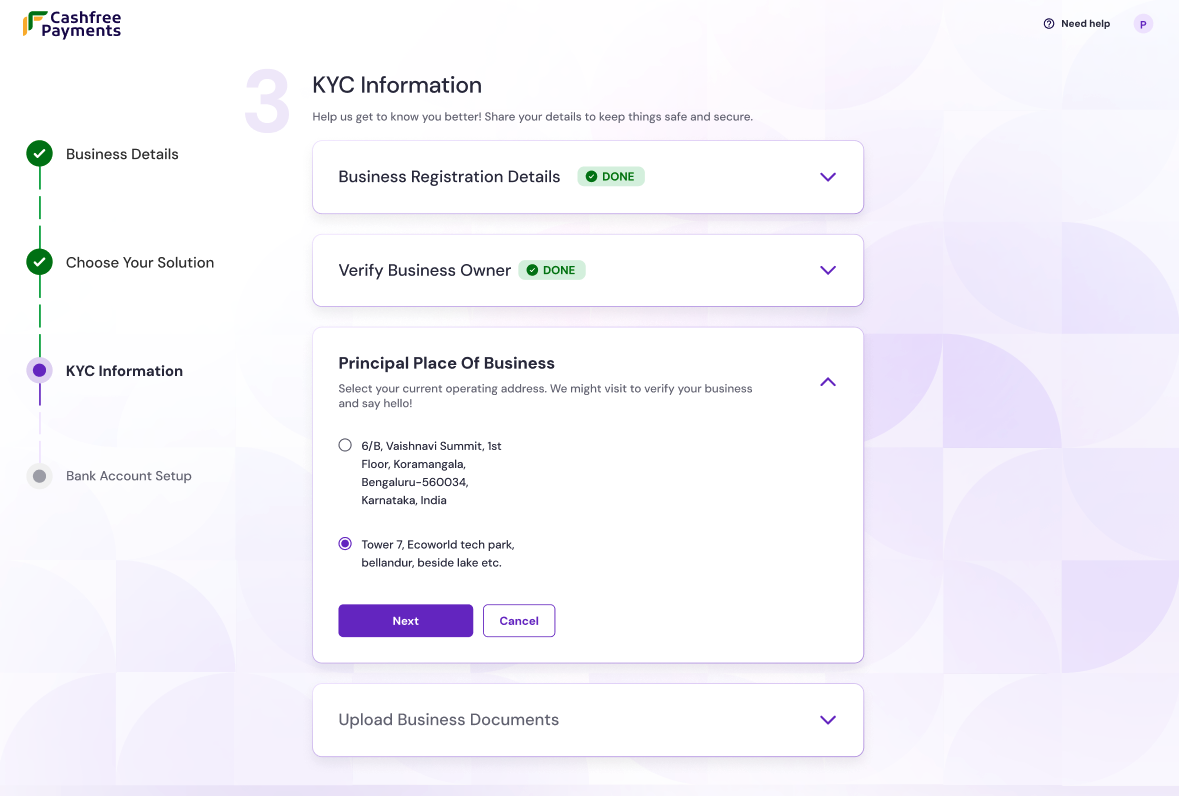
-
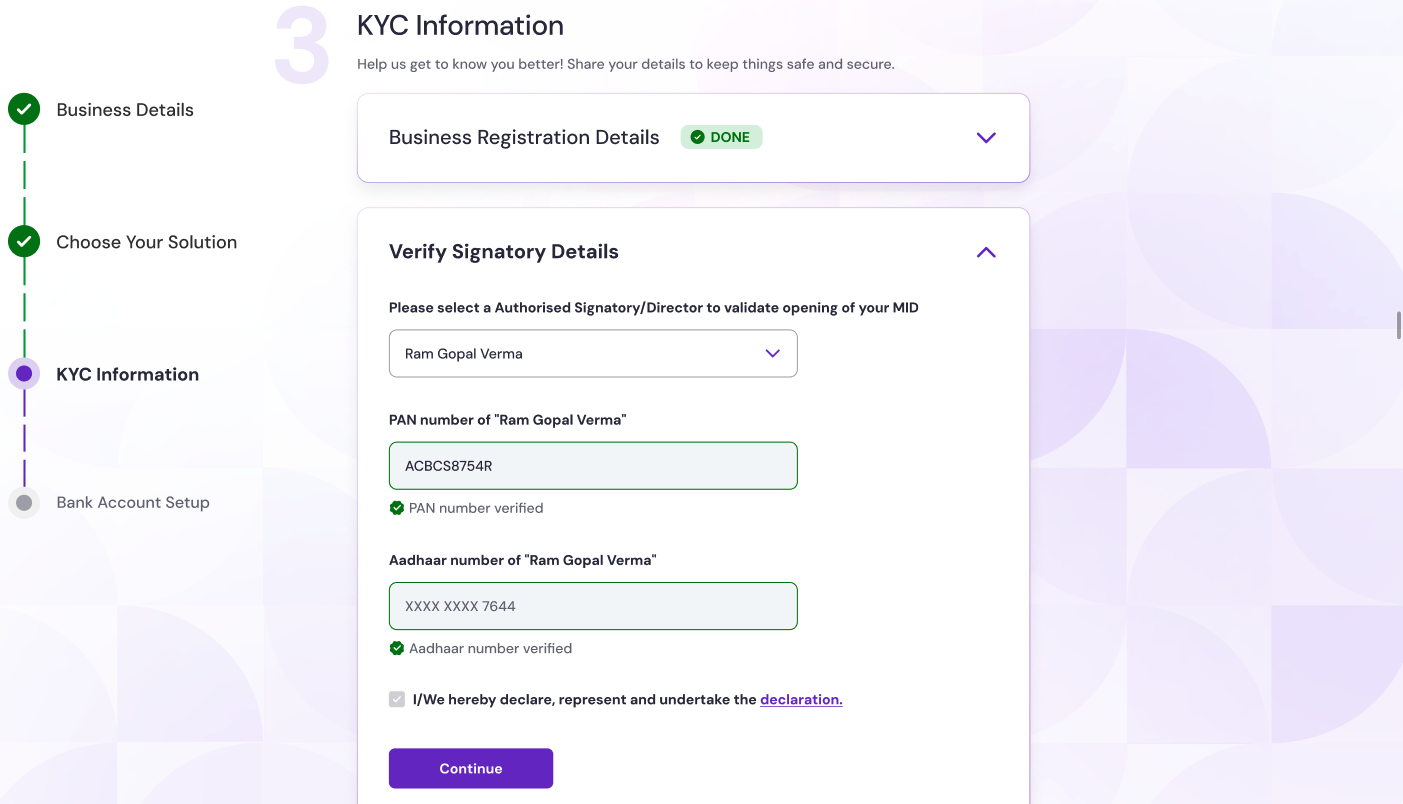
Business registration details: Enter a valid business PAN number. The system uses the PAN to fetch the legal name and GST, CIN, LLPIN data.
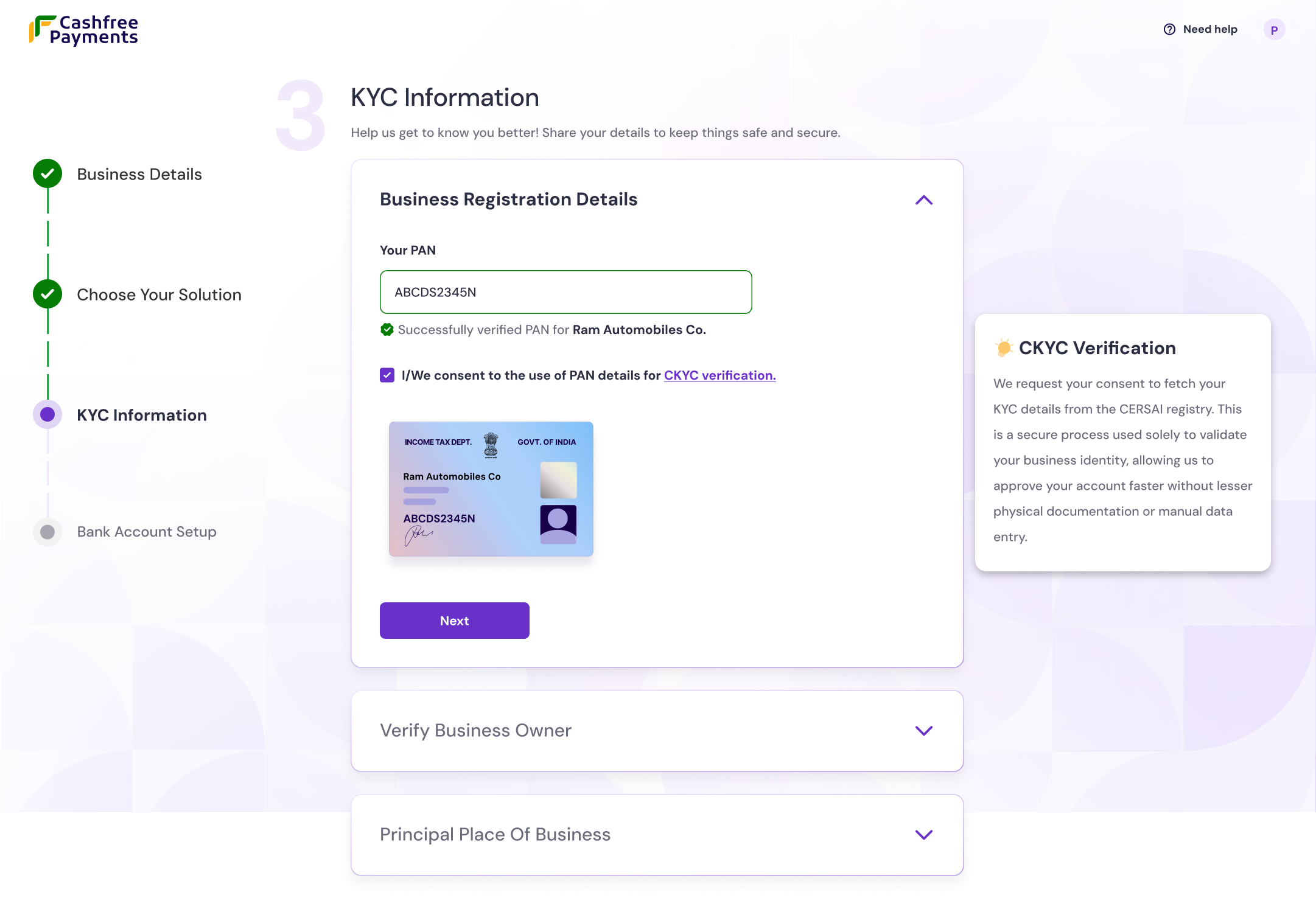
- Individual
- Registered entity
- Archetype identification: The system automatically identifies individuals using the fourth digit “P” of the provided PAN.
-
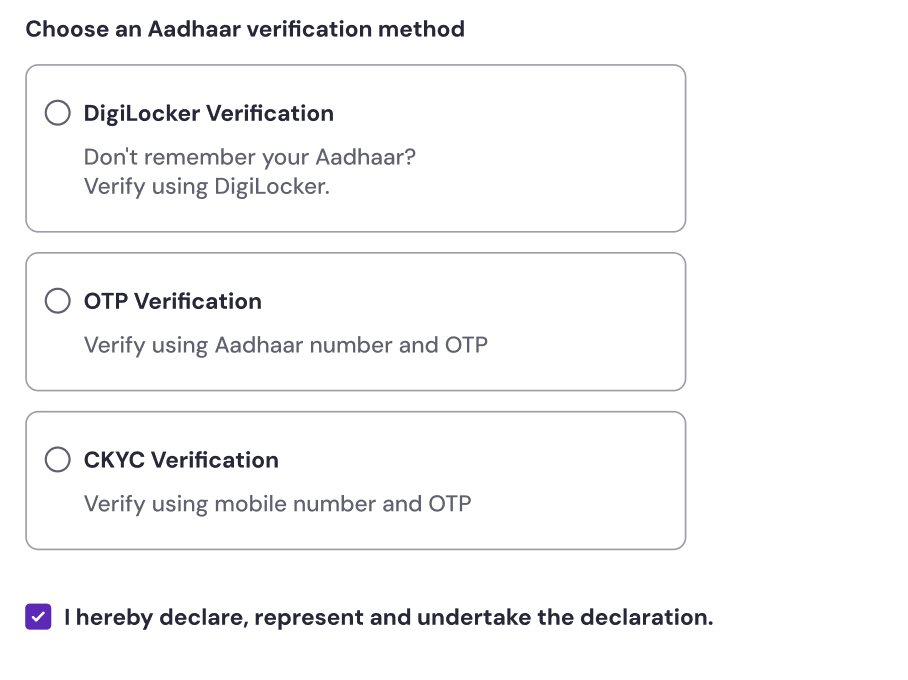
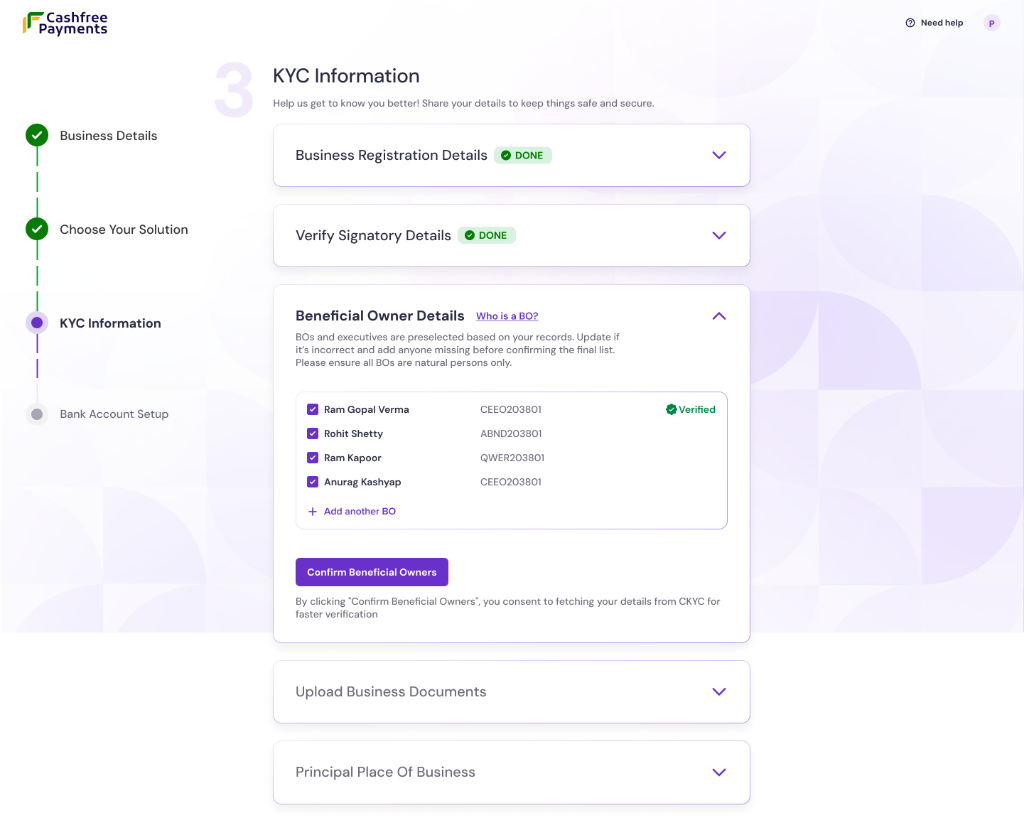
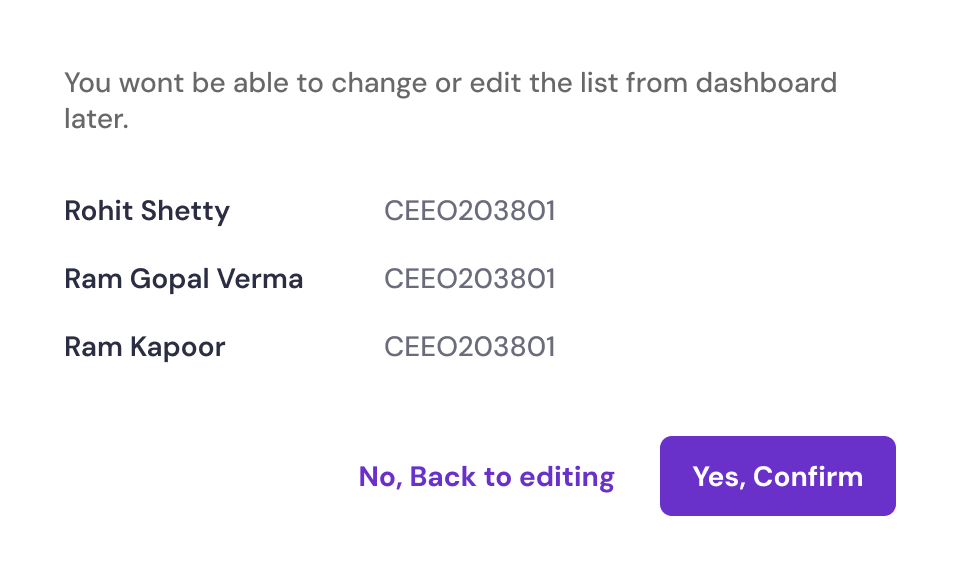
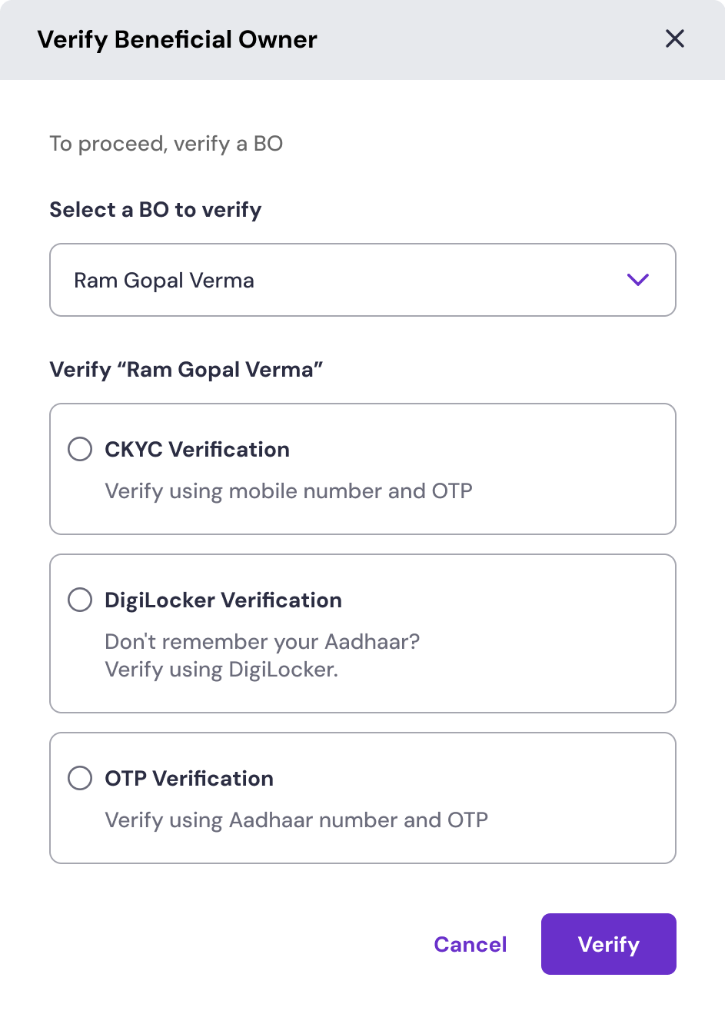
Business owner verification:
- OTP verification: Complete identity verification instantly using the Aadhaar number and the OTP sent to the registered mobile number.
- DigiLocker verification: Securely authenticate and share Aadhaar information via the DigiLocker account.
- CKYC verification: Use the Central KYC (CKYC) record to prefill details automatically. This method is optional.
-
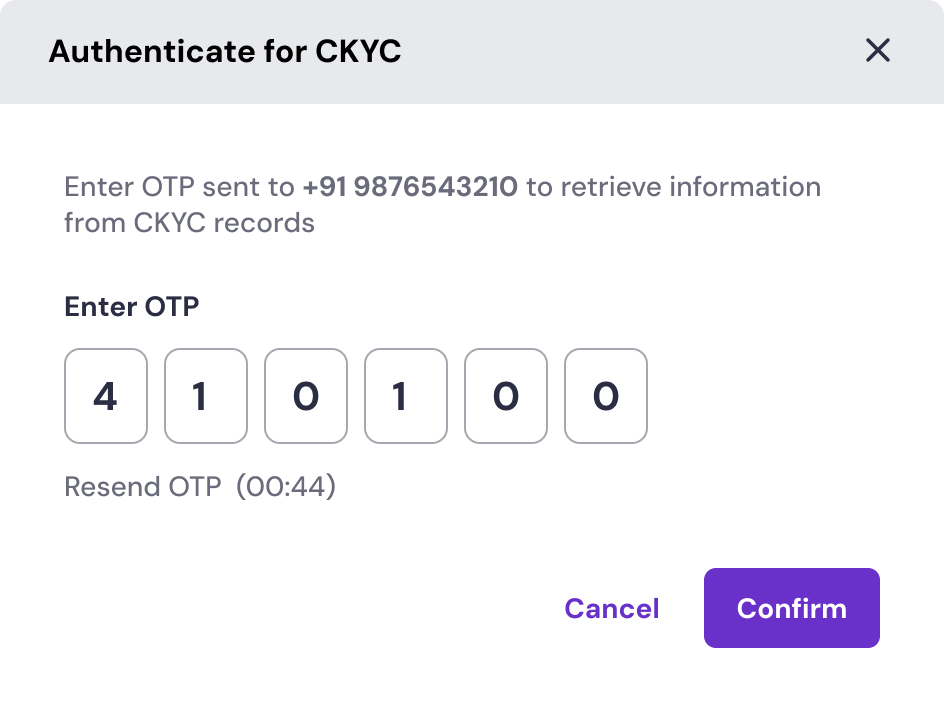
CKYC verification flow: If CKYC verification is chosen, follow the steps below to complete it:
1
Authenticate via CKYC
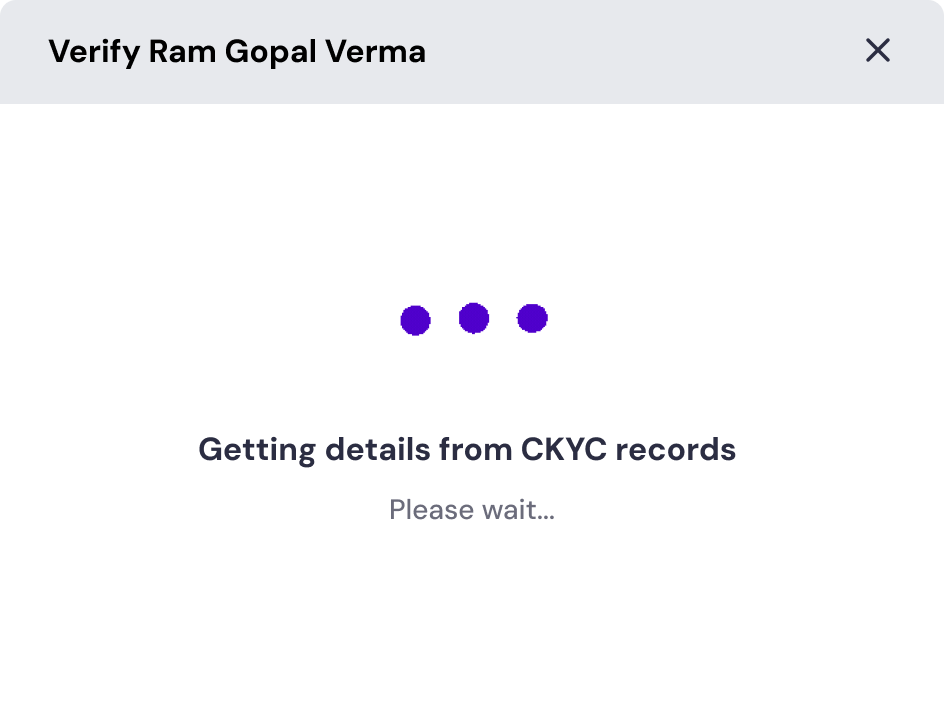
If CKYC verification is chosen, enter the mobile number and OTP linked to the PAN’s CKYC record. The system will then securely retrieve their identifying documents.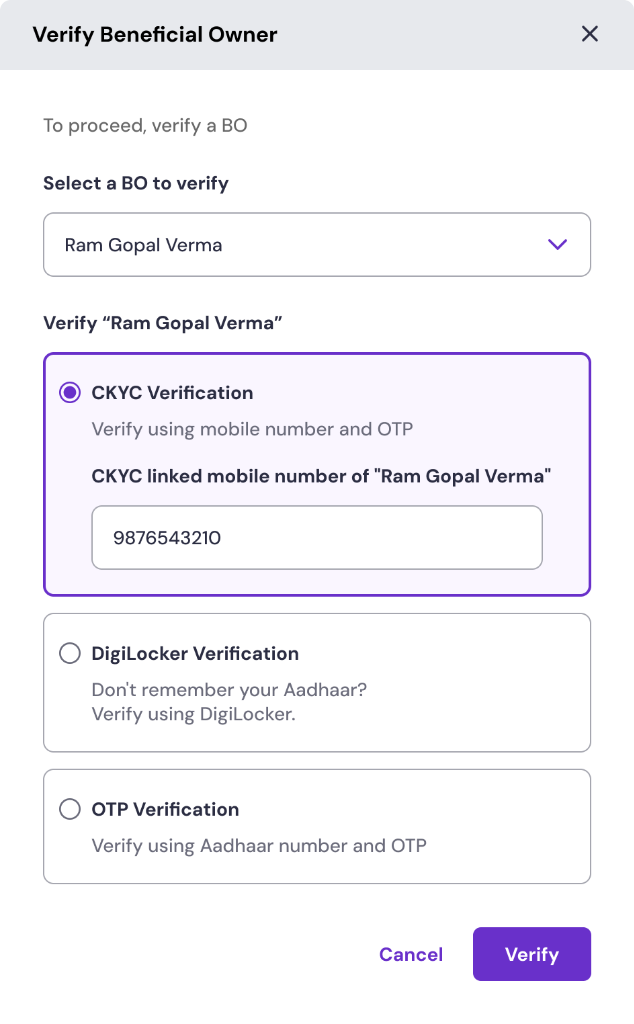
 2
2Verify and confirm documents
Once the records are fetched, review the retrieved document (such as a driving licence or PAN). If the details are correct, click Confirm. You can also remove and upload a new document if needed.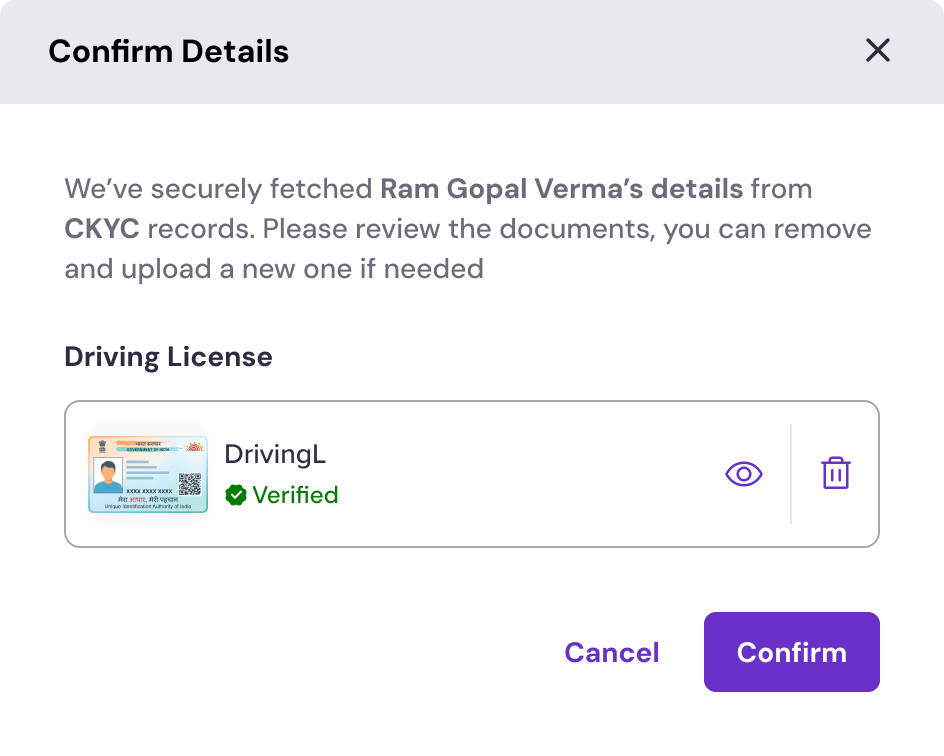
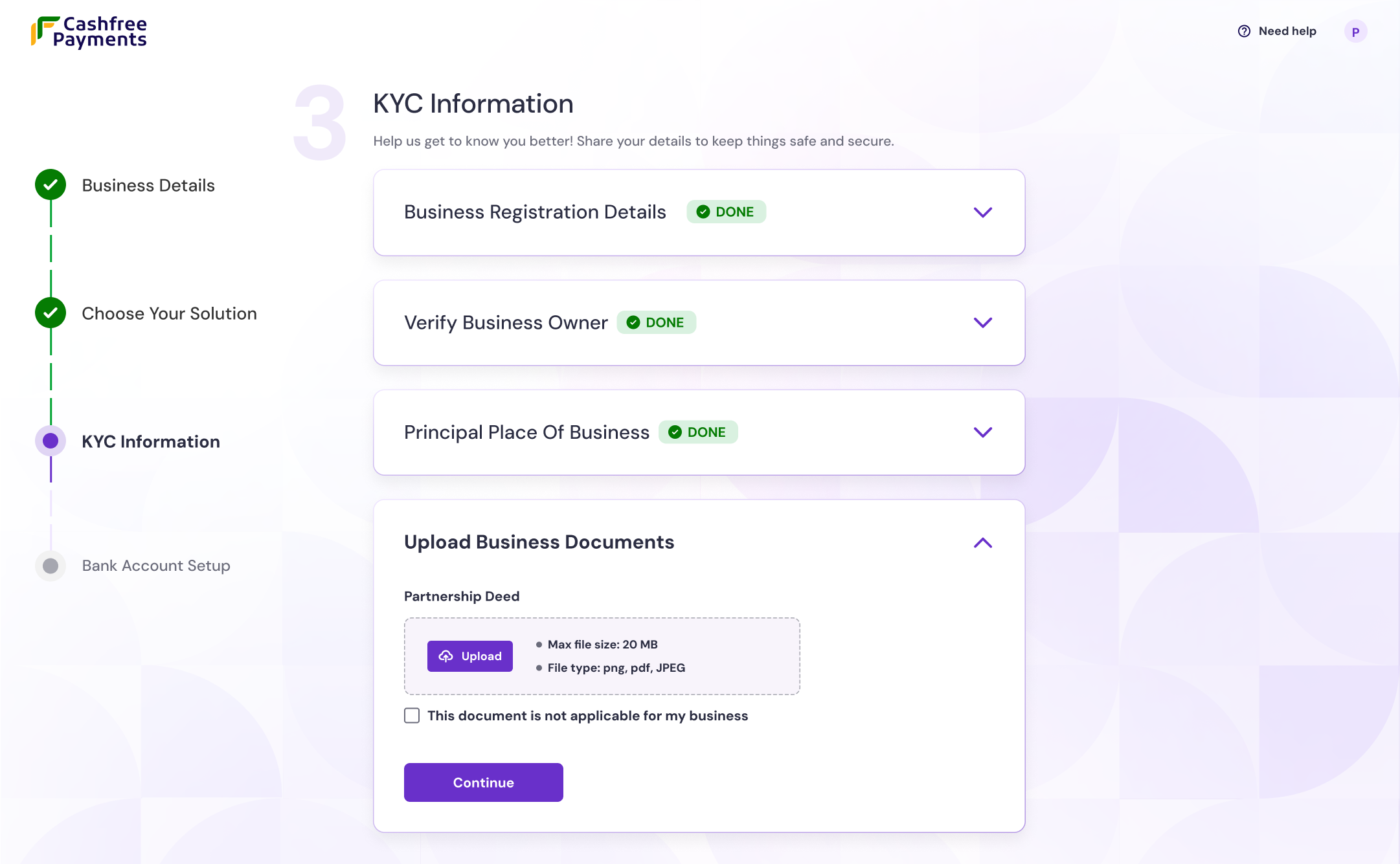
- Principal place of business: Enter the complete and accurate business address. The business location is subject to physical verification.
- Upload business documents: For proprietorship businesses, upload at least two proofs of business (such as Udyam, Shop & Establishment, or MSME certificate).
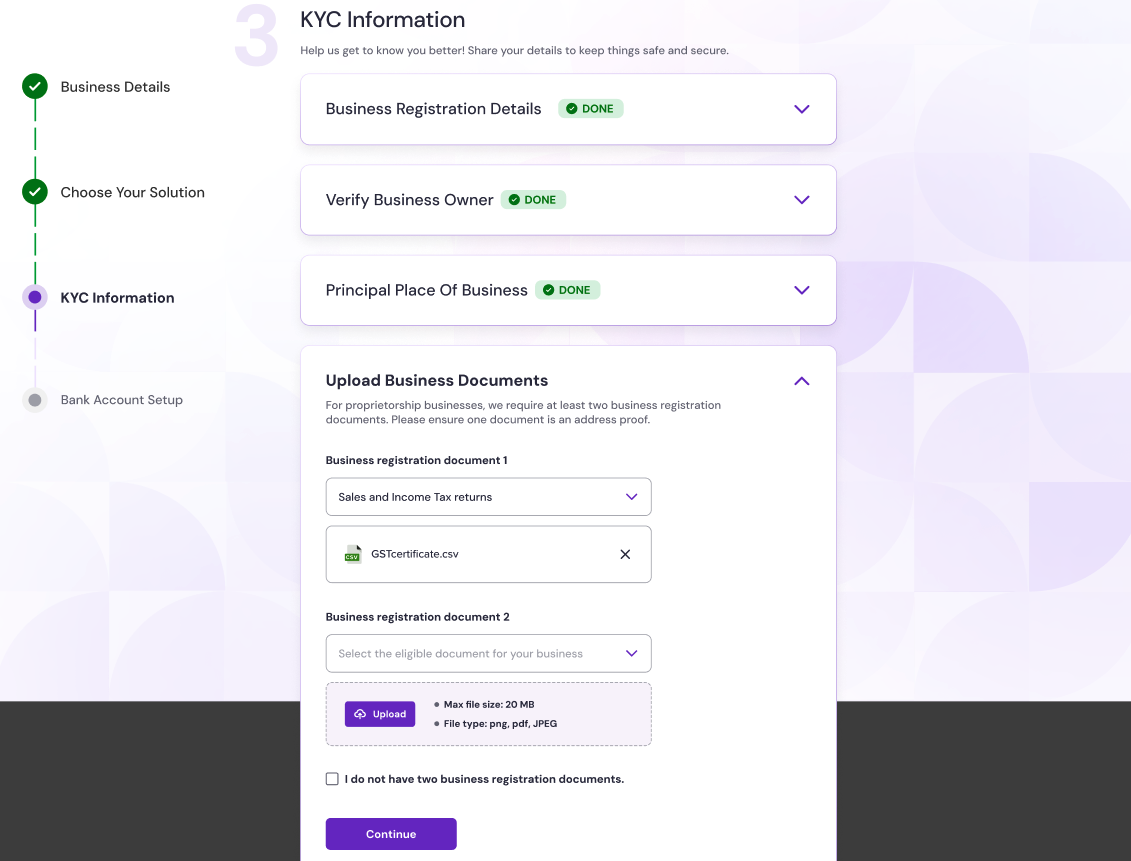
- Municipal certificate
- Udyog Aadhaar
- Shop & Establishment certificate
- Other government-issued registration proofs
If you do not have these documents, Cashfree changes the business type to Unregistered.
4
Bank account setup
On the Bank account setup page, enter the company’s bank account number and IFSC code to ensure settlements reach the correct account. Click Verify to validate the details.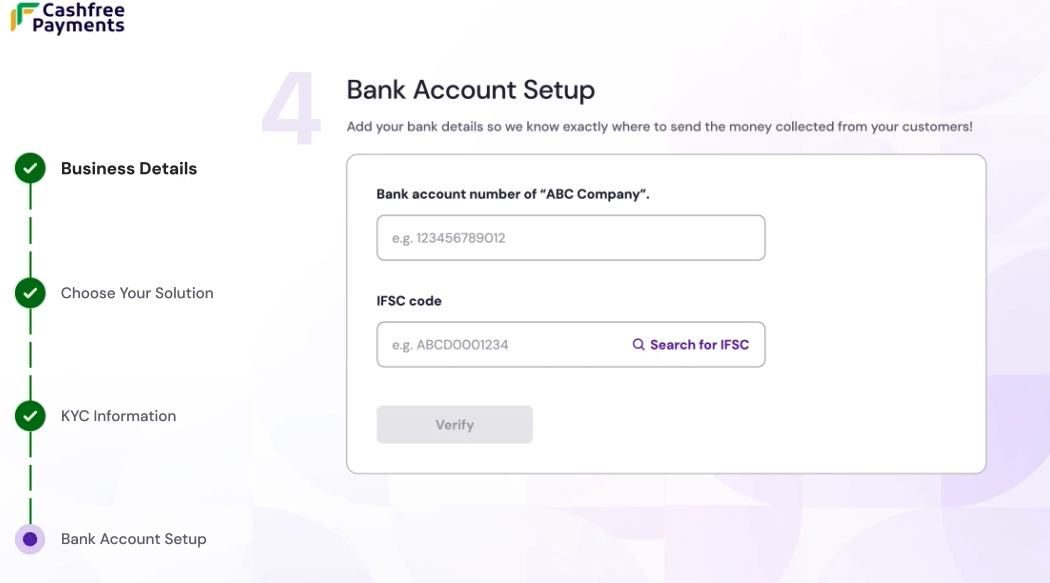
The first transaction in newly opened accounts must be a credit from an existing KYC-complied bank account of the customer.
5
Video KYC and submit
Video KYC (V-CIP) is a remote video call used to complete KYC for individuals or the authorised signatory when required.Select Submit to verify to finalise the application. After a brief verification process, you receive a confirmation, allowing you to start integrating Cashfree into your platform.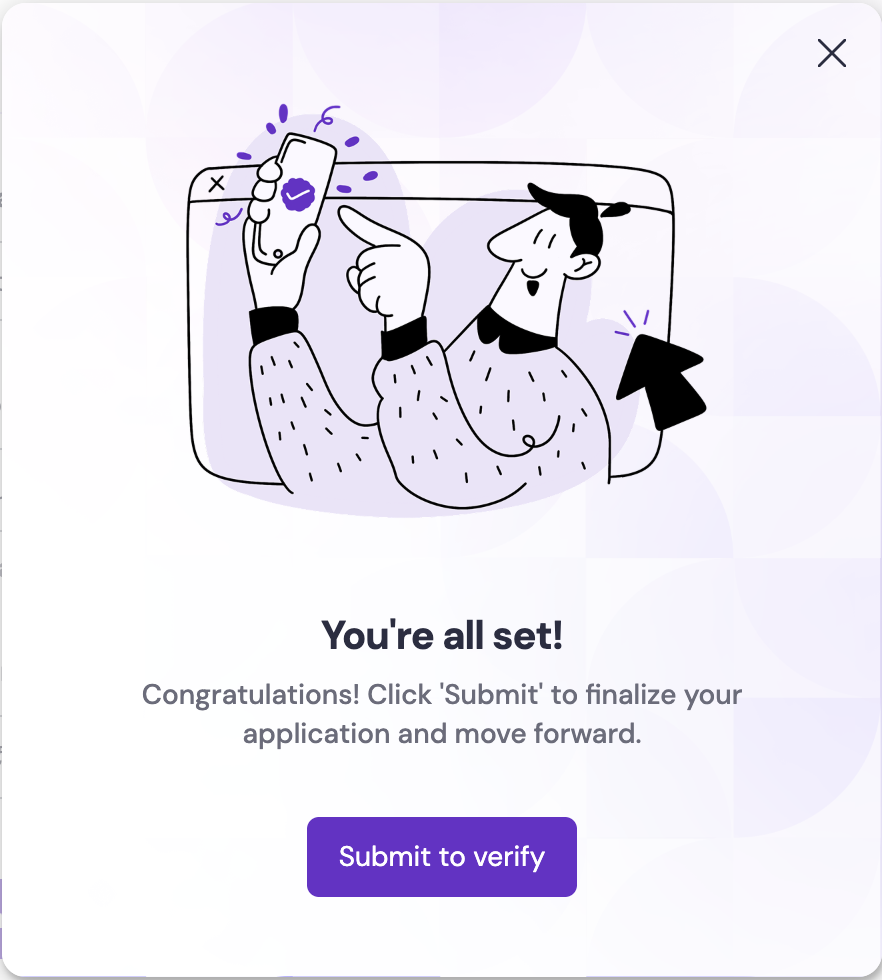
-
When V-CIP is required
- V-CIP is triggered if Enhanced Due Diligence (EDD) fails, or if additional supporting documents are still needed after EDD.
-
When V-CIP can be deferred
- If EDD is successful and any requested documents are uploaded and verified, V-CIP is not required and can be deferred.
Enhanced Due Diligence (EDD) is an additional risk check performed before moving to V-CIP. EDD typically includes address verification, automated website and PAN checks, validation that the first transaction comes from an existing KYC-complied bank account, and review of email and phone communication trails. If these checks pass, the system relies on EDD and V-CIP is usually not required.
Account activation typically takes 24 working hours after you submit all required documents, subject to compliance verification.
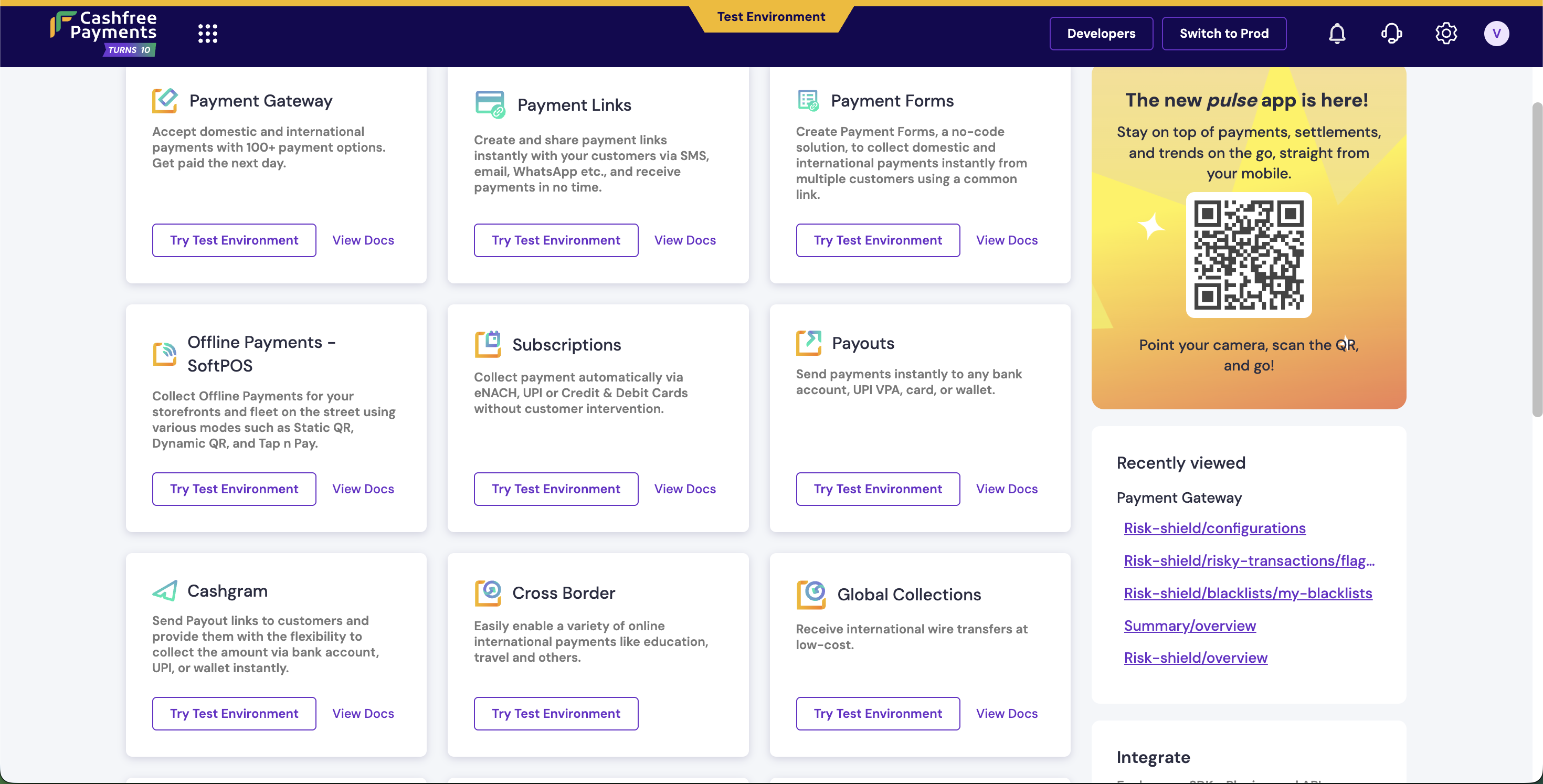
Explore test environment
The test environment serves as a sandbox to explore and experiment with Cashfree features without any financial impact. You can:- Familiarise yourself with the dashboard interface.
- Explore integrations and read product documents.
- Test product features and simulate various payment scenarios.
- Verify workflows before going live.
Required documents
Account activation requires verification of the business and the identity of the person(s) who will operate it. Requirements vary by entity and line of business; see Documents by entity type for the list that applies to your business.Business owner identification
Cashfree verifies the identity of the business owner or the person authorised to act for the business (authorised signatory) in one of these ways:Documents by line of business (LOB)
Additional documents are required based on the business category to determine the Merchant Category Code (MCC) and ownership.Website compliance
Cashfree automatically checks the merchant’s website or app for:Documents by entity type
Based on the business entity type, different documents are required. The sections below list what is needed for each entity; merchants may also need extra documents by line of business.Individuals (unregistered) or Proprietorship
Individuals (unregistered) or Proprietorship
For a sole proprietor, the PAN’s fourth character is P. The items below are what is needed to verify the merchant and the business.
If the merchant’s details are in the Central KYC registry, Cashfree fetches them (including Aadhaar ID and permanent and current address where available) and fewer fields need to be filled. If not, Cashfree may ask for a short video call (Video KYC) to verify identity and address via DigiLocker or document upload.
Public or private limited company
Public or private limited company
For companies registered with the Ministry of Corporate Affairs, Cashfree verifies the company, the person who will operate the account (authorised signatory), and anyone with significant ownership (beneficial owners).
Cashfree prefills directors and the person operating the account from company records and Central KYC when possible; then the merchant confirms or adds details. If not, the merchant will need to upload board resolution, power of attorney, and identity documents, and Cashfree may ask for a video call.
Limited Liability Partnership (LLP) or Partnership
Limited Liability Partnership (LLP) or Partnership
For LLPs and partnerships, Cashfree verifies the firm, the person who will operate the account, and the partners.
Cashfree gets partner names from the deed and the person operating the account from Central KYC when available. If not, Cashfree may ask for the registration certificate and a video call to verify identity.
Society, trust, or NGO
Society, trust, or NGO
For trusts, societies, and NGOs Cashfree verifies the entity, the person authorised to operate the account, and key functionaries (e.g. trustees).
When the person operating the account is in Central KYC, Cashfree fetches their details and usually no video call is needed. Otherwise Cashfree may ask for a video call and the registration certificate (if the trust or society is registered).
Unincorporated association or body of individuals
Unincorporated association or body of individuals
For associations or bodies of individuals that are not registered as a company, LLP, or society, Cashfree needs proof of the group’s existence and who can act for it.
Cashfree verifies the person authorised to act for the body; if their details are in Central KYC the process is simpler. Otherwise Cashfree may ask for a video call and documents such as the governing resolution, power of attorney, identity proof of the person authorised to act, or documents that establish the body’s existence.
Other juridical persons (e.g. local bodies, universities)
Other juridical persons (e.g. local bodies, universities)
Entities such as local authorities, universities, or other legal persons created by law need to show who can act for them and that the entity exists.
Identity of the person authorised to act is verified via Central KYC, DigiLocker, or document upload. If Cashfree cannot verify them automatically, a video call and documents such as authorisation proof and identity or existence documents may be requested.
Hindu undivided family (HUF)
Hindu undivided family (HUF)
A Hindu Undivided Family is a legal entity under Hindu law, comprising the family and its property. The Karta is the head of the HUF and typically manages its affairs.
When the Karta’s details are in Central KYC Cashfree fetches them and fewer steps are required. If not, Cashfree may ask for a video call and the HUF deed.